Multi-camera Sync Capture
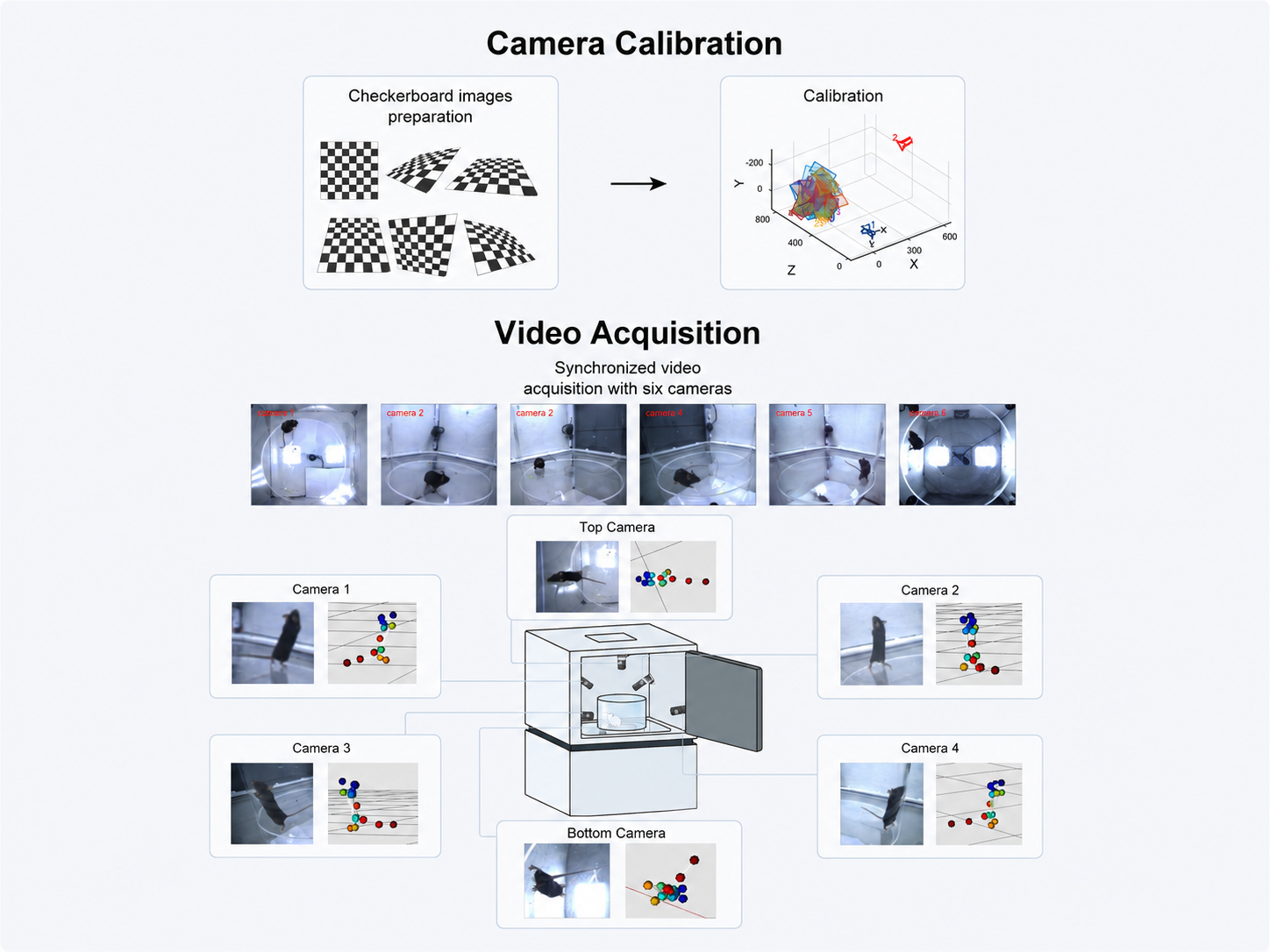
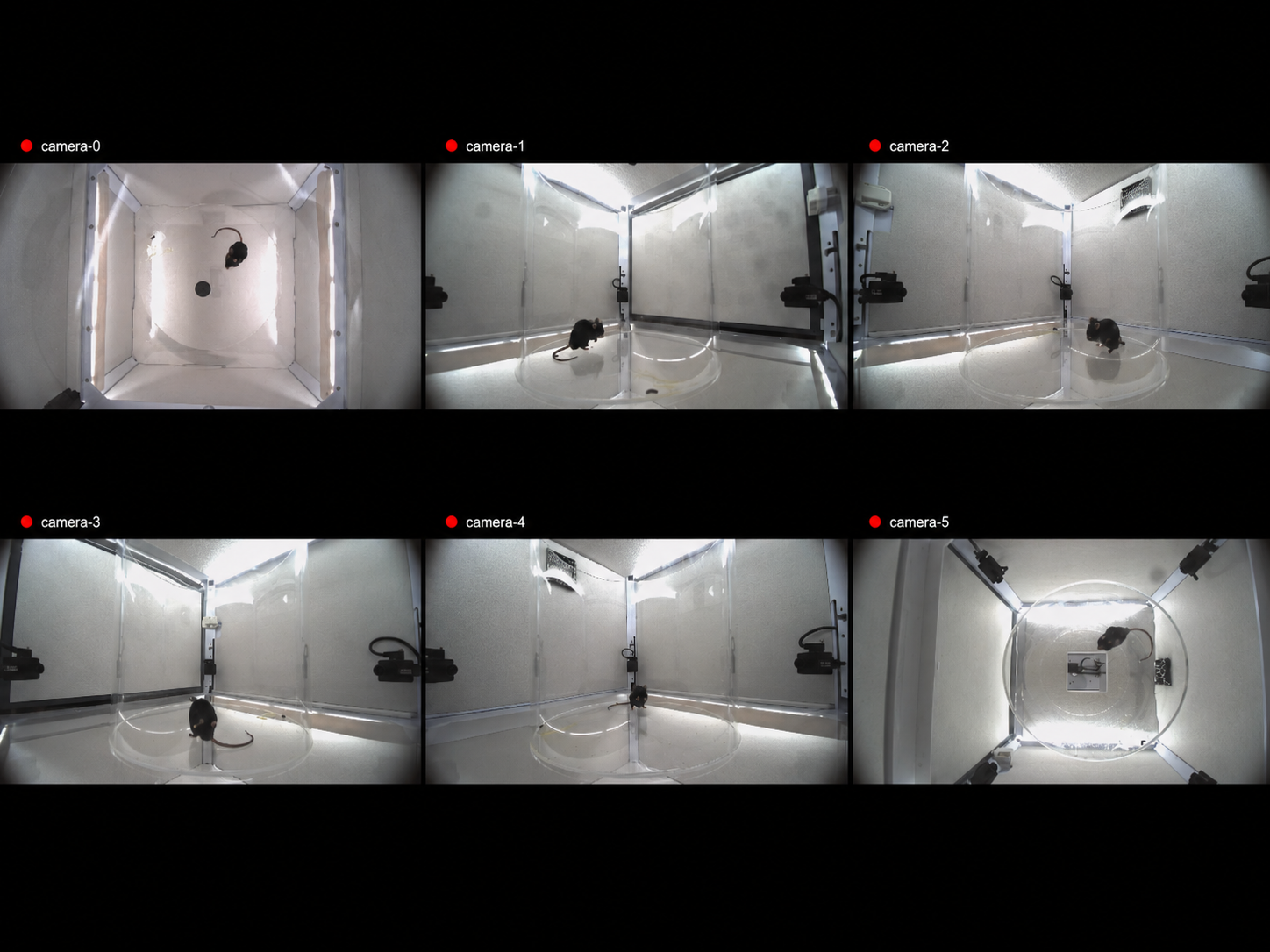
Multi-channel visible-light synchronized recording with one-click capture — time-aligned multi-view video for single mouse (4–6 cameras) and single pig (9-view) setups.
BehaviorAtlas MultiBehavior · Software Suite
Fine multi-behavior quantification for single subjects — markerless 3D capture, supervised behavior recognition, and model-driven behavior spectrum analysis, with dedicated hardware, software, and algorithms for single mouse and single pig.
Built on a unified multi-behavior analysis methodology — dedicated hardware, software platforms, and algorithms for single mouse and single pig. Select a subject to view its technical configuration.
BehaviorAtlas Capture and BehaviorScope — multi-camera sync capture, TTL event sync, scene calibration, project management, 3D reconstruction, supervised behavior recognition, and export; configurable for single mouse and single pig.
Multi-channel visible-light synchronized recording with one-click capture — time-aligned multi-view video for single mouse (4–6 cameras) and single pig (9-view) setups.
TTL event markers and external trigger sync — precise alignment of behavior event timestamps with multi-camera video for downstream analysis.
Set a mouse acclimation period — multi-camera recording starts automatically when it ends, reducing manual intervention and timing gaps.
Experiment info, sample naming, and recording parameters — structured output to the project data folder as the foundation for tracking, reconstruction, and analysis.
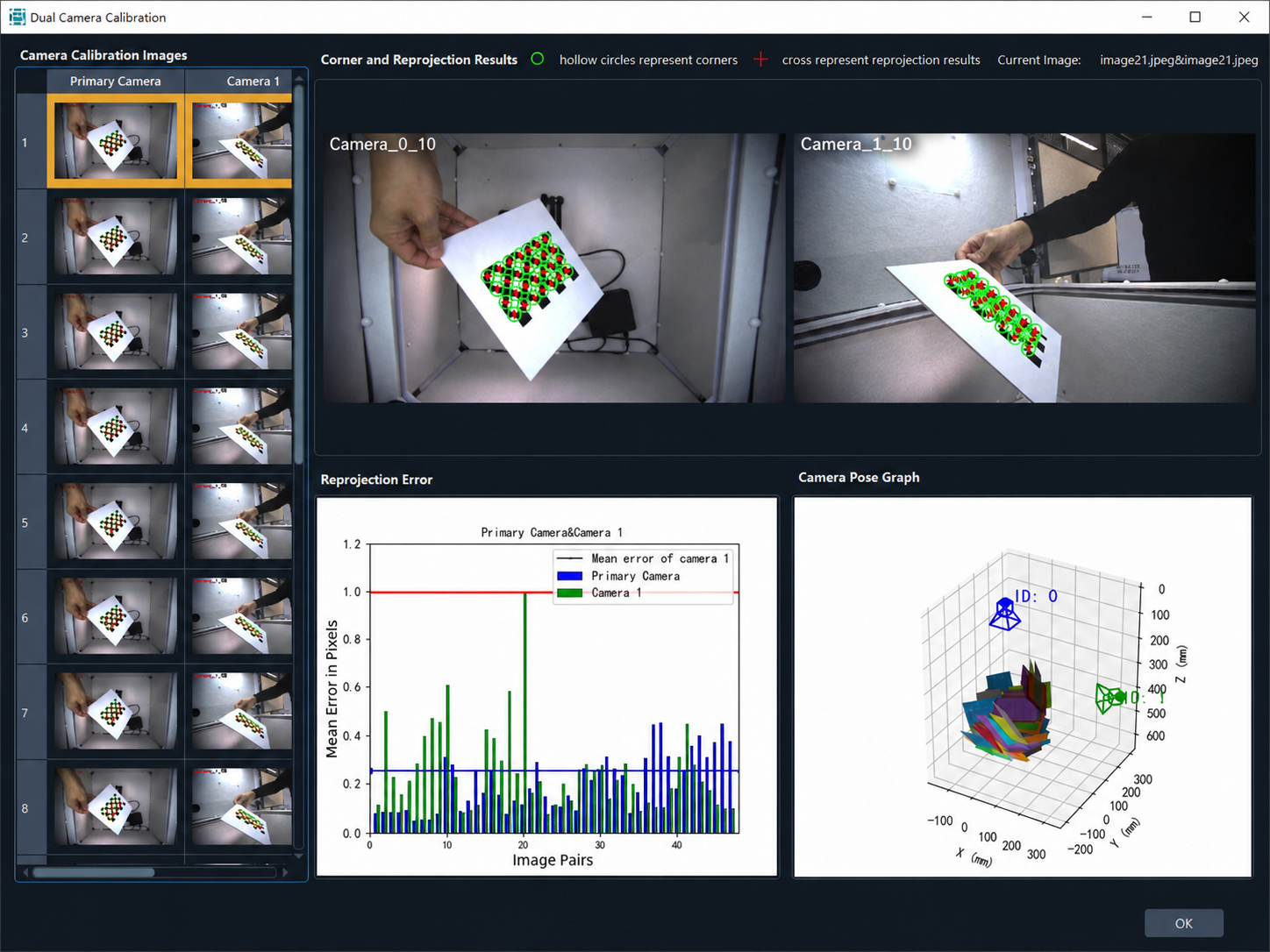
Checkerboard calibration for intrinsics/extrinsics, multi-camera alignment, and behavior event timestamps for accurate 3D fusion.
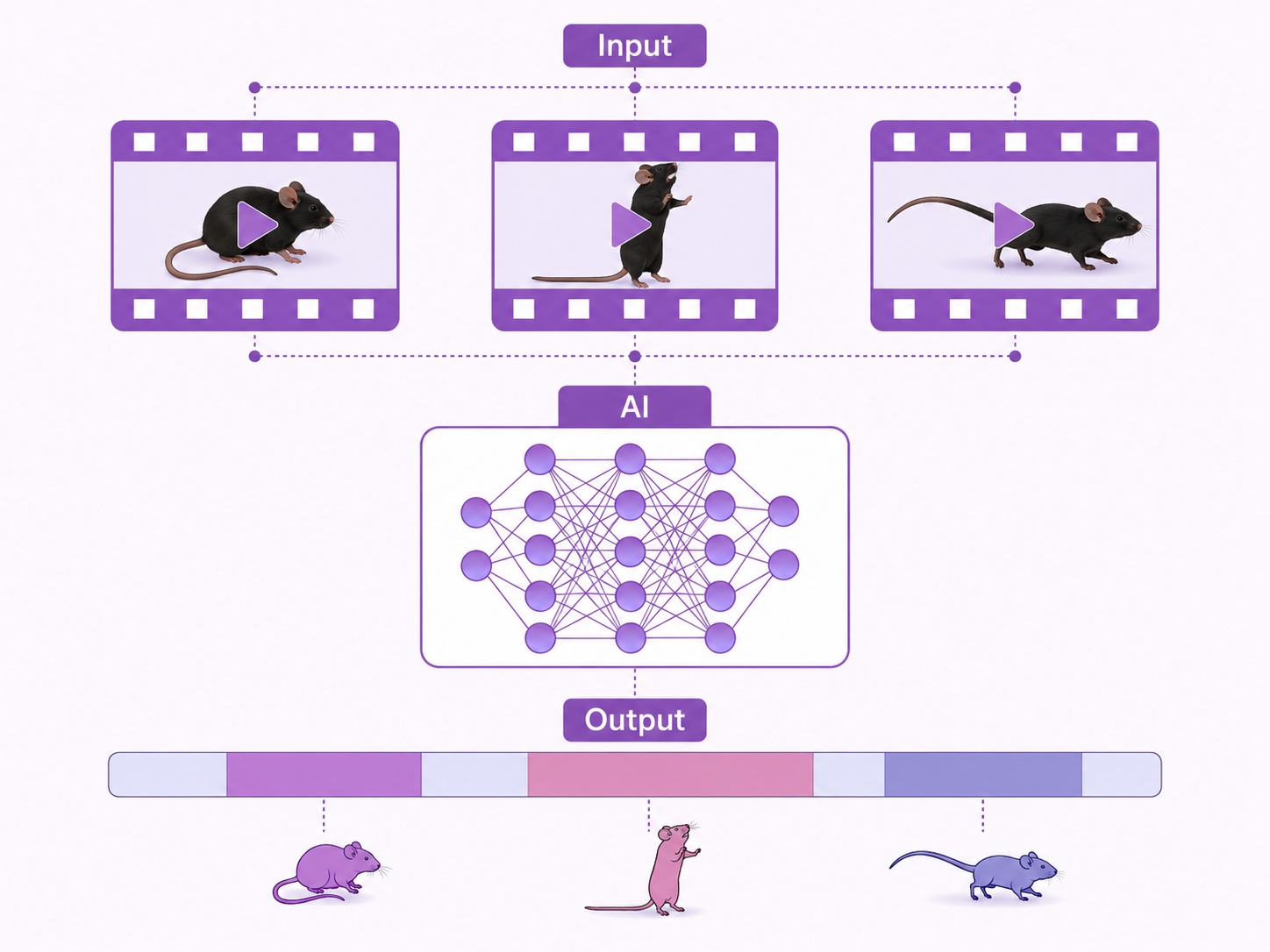
Pre-trained models and supervised clustering identify and quantify behavior modules per model configuration — Supervised_paras segment and label outputs for fine multi-behavior analysis.
Fuses multi-view 2D tracking with calibration to reconstruct frame-by-frame 3D skeletons — csv and c3d coordinate outputs for downstream behavior recognition.
Standard body-tracking and behavior-recognition models built in — follow the standard experimental workflow with no extra annotation, training, or custom model development in most cases.
Create and manage analysis projects with structured folders — data, 3Dskeleton, BeAOutputs, and results_export for traceable sample and output management.
Pre-trained networks detect and track body keypoints in single-view video, outputting per-frame 2D trajectories for 3D reconstruction.
Automatic frame-level (FrameLevel_paras) and advanced kinematic parameters (AdvancedParameters) from 3D skeletons and behavior sequences.
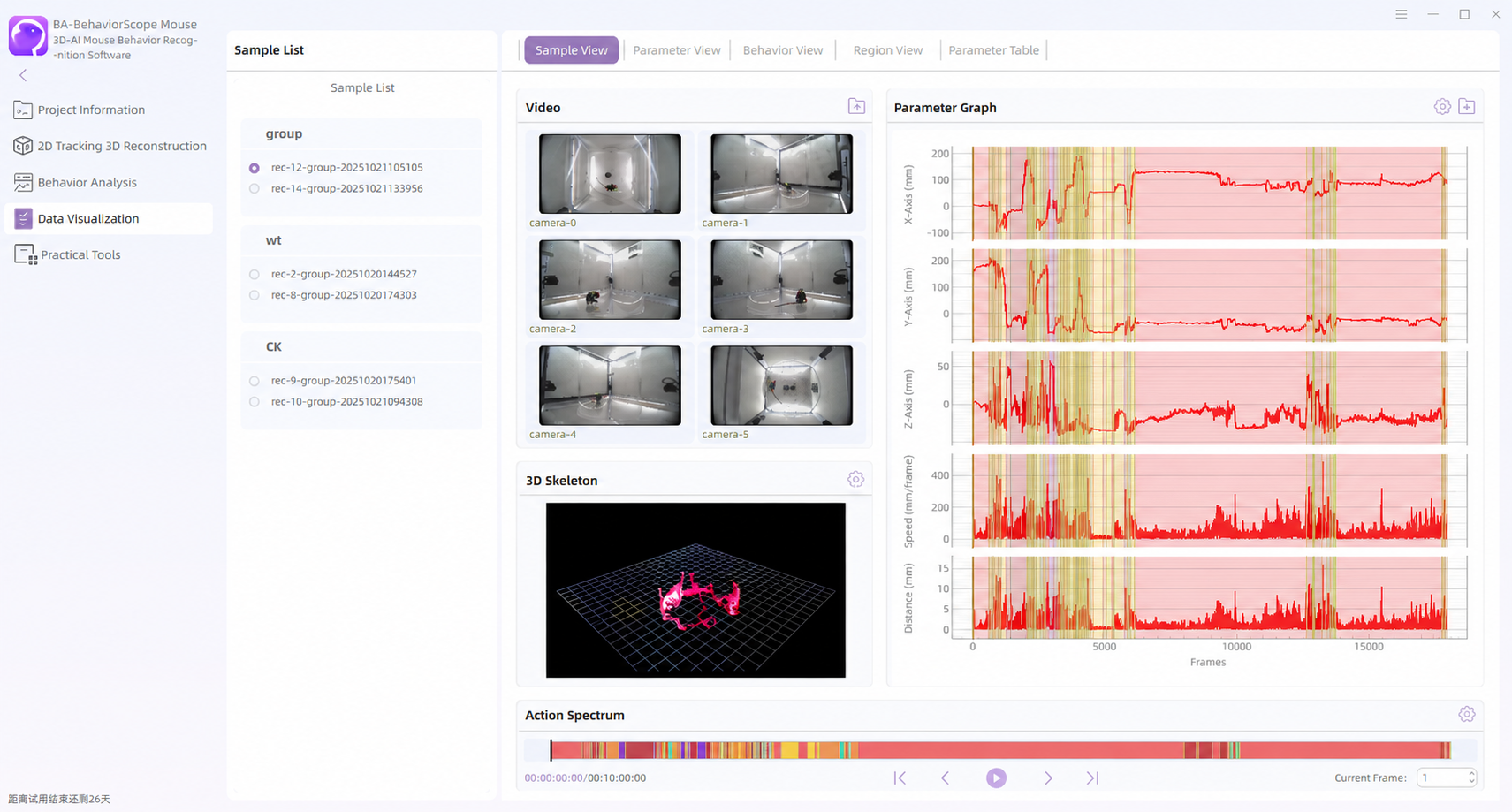
Synchronously compare multi-camera video with 3D skeleton reconstruction — frame-by-frame QC for occlusion, dropouts, and calibration issues.
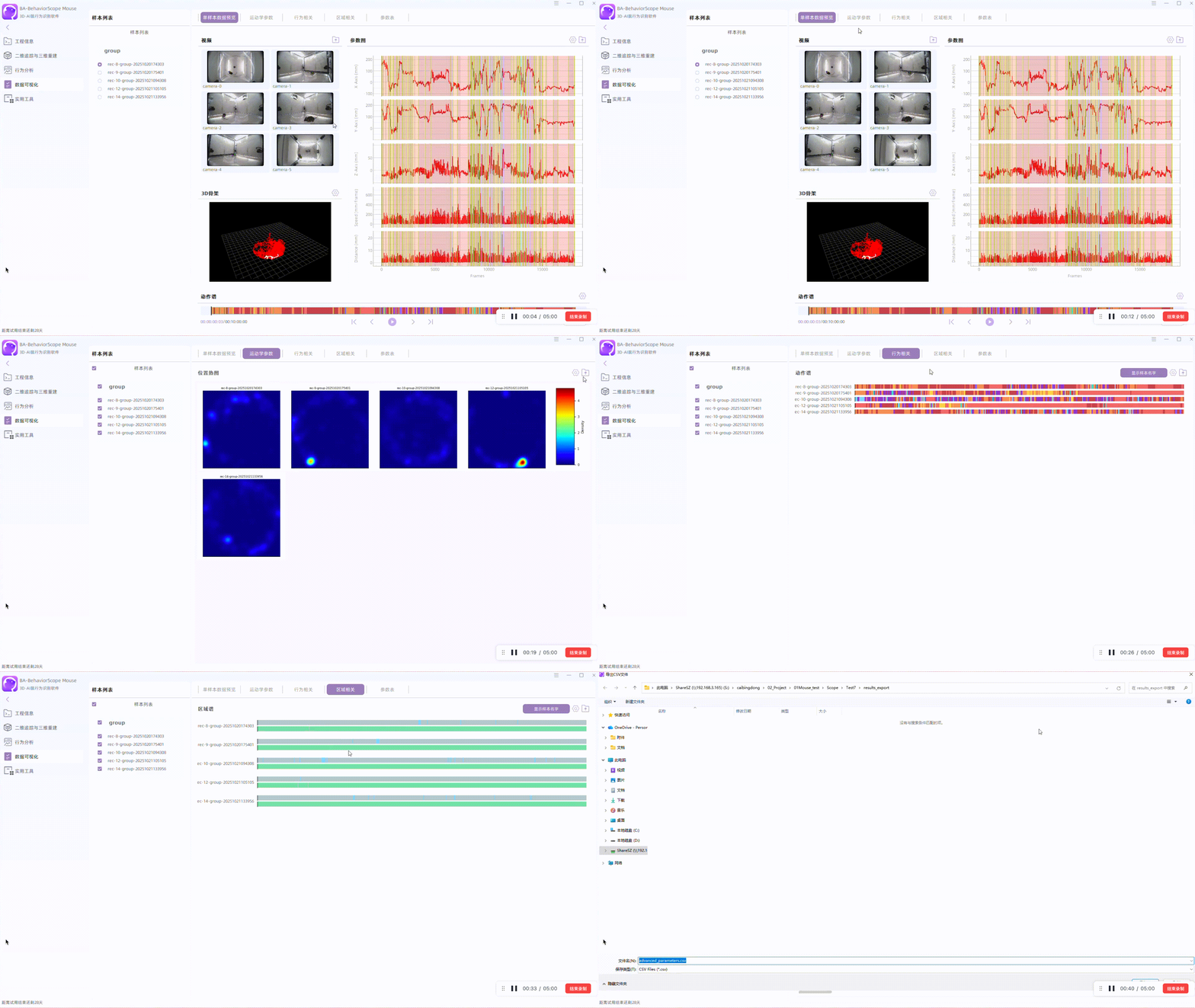
Behavior spectra, timelines, proportions, and group comparisons — one-click export of tables, figures, and videos to results_export.
Capture and BehaviorScope — acquisition plus data analysis and visualization. Select a subject to explore its dedicated stack.
4–6 cams
Camera sync
50×50
cm arena
Multi-channel visible-light sync recording with TTL events and scene calibration — one-click recording.
BehaviorAtlas Capture · Single Mouse
Multi-camera acquisition software
16+
Body keypoints
Supervised
Behavior recognition
AI keypoint detection, 3D skeleton reconstruction, and model-driven behavior spectra via supervised clustering — multi-dimensional visualization and one-click export.
BehaviorAtlas BehaviorScope · Single Mouse
Data analysis & visualization software
Single-mouse workflow — calibration and capture through tracking QA, then batch analysis or a PoseLabeler custom-model path.
Checkerboard calibration for intrinsics/extrinsics and multi-camera alignment — the geometric foundation for 3D reconstruction.
BehaviorAtlas Capture — multi-channel visible-light sync recording with TTL markers and experiment metadata.
Import captured video, calibration files, and experiment metadata into a BehaviorScope project for unified analysis.
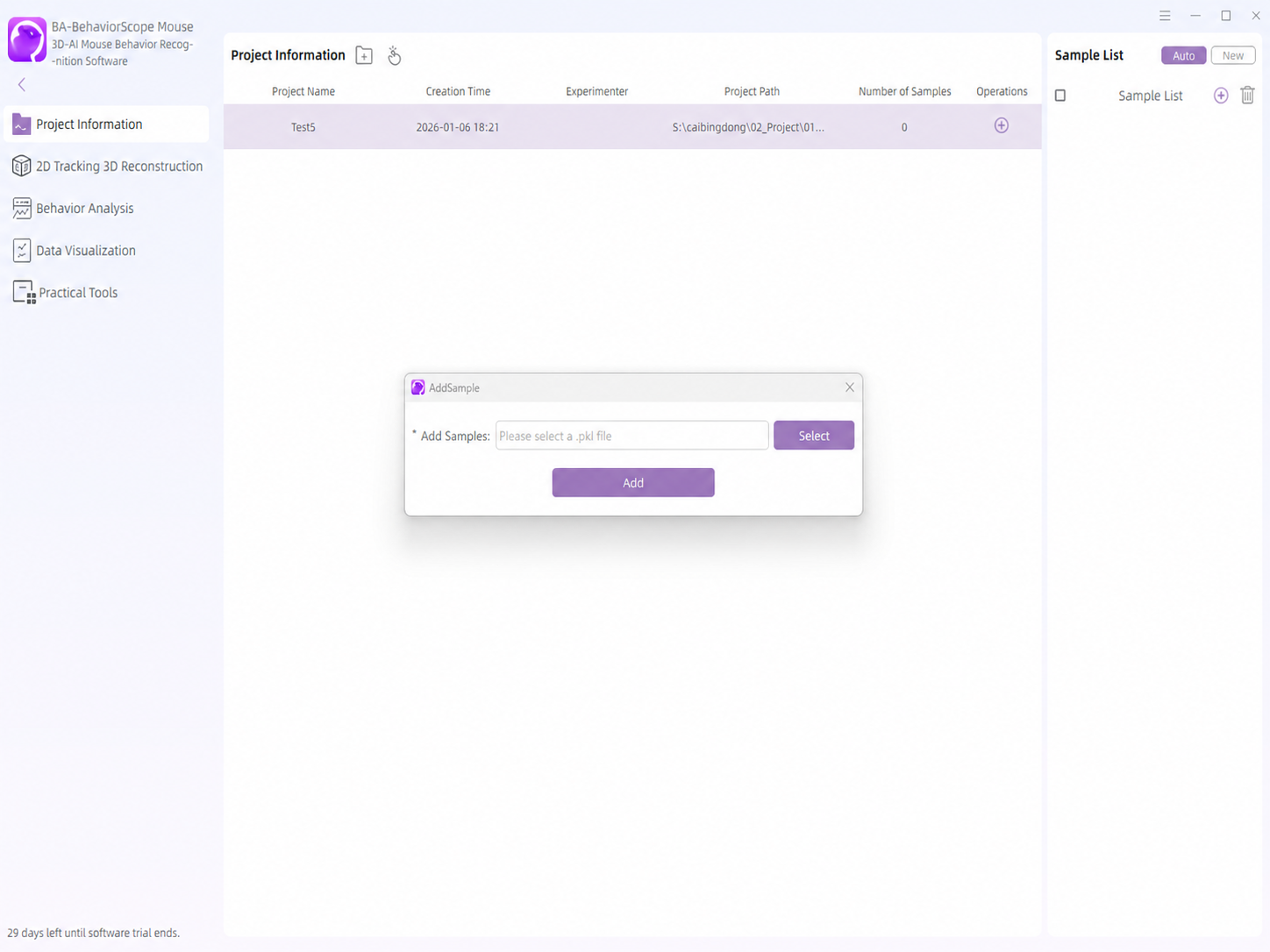
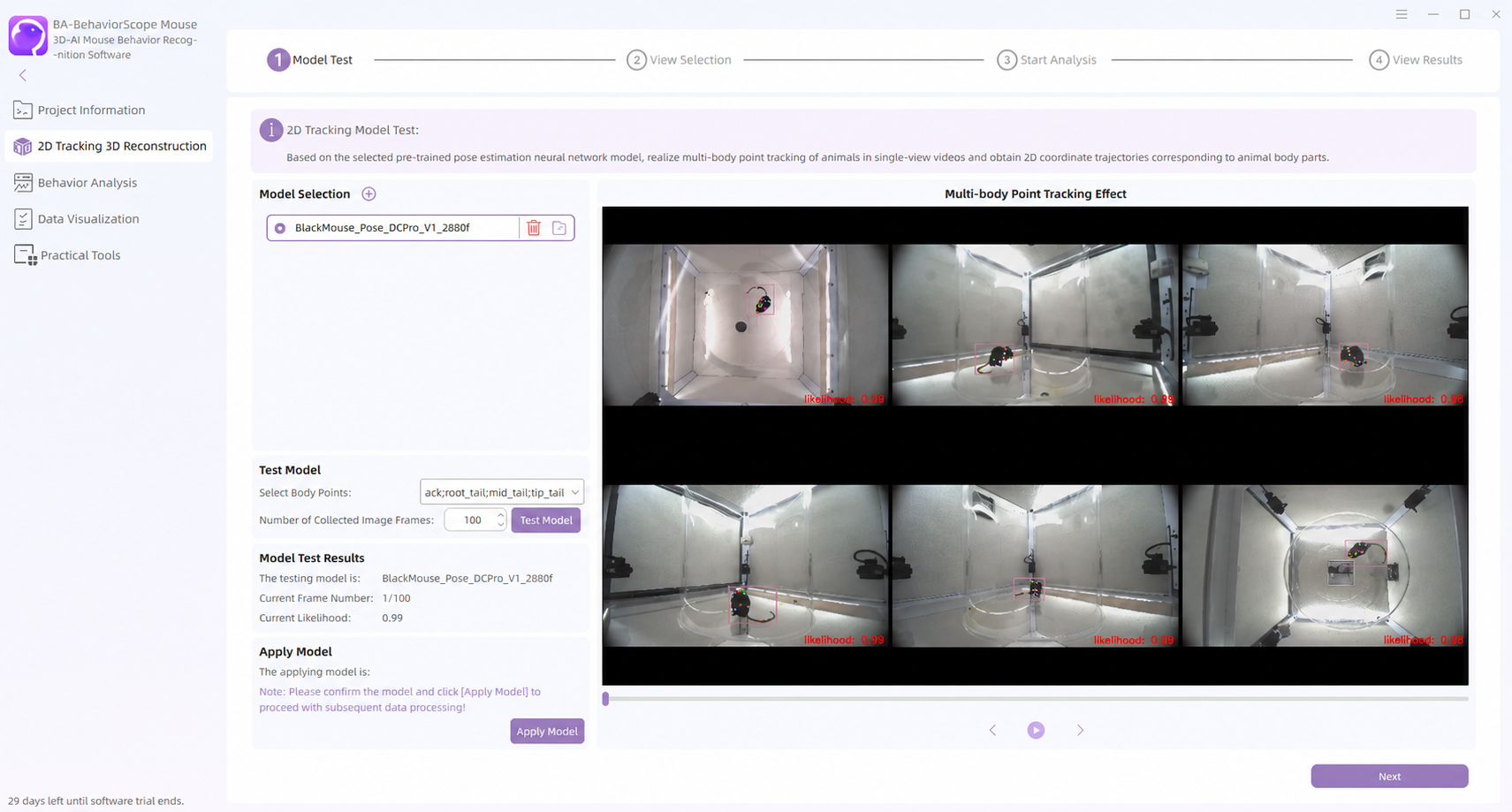
Test preset or custom tracking models on sample clips — evaluate keypoint accuracy and stability before full-batch analysis.
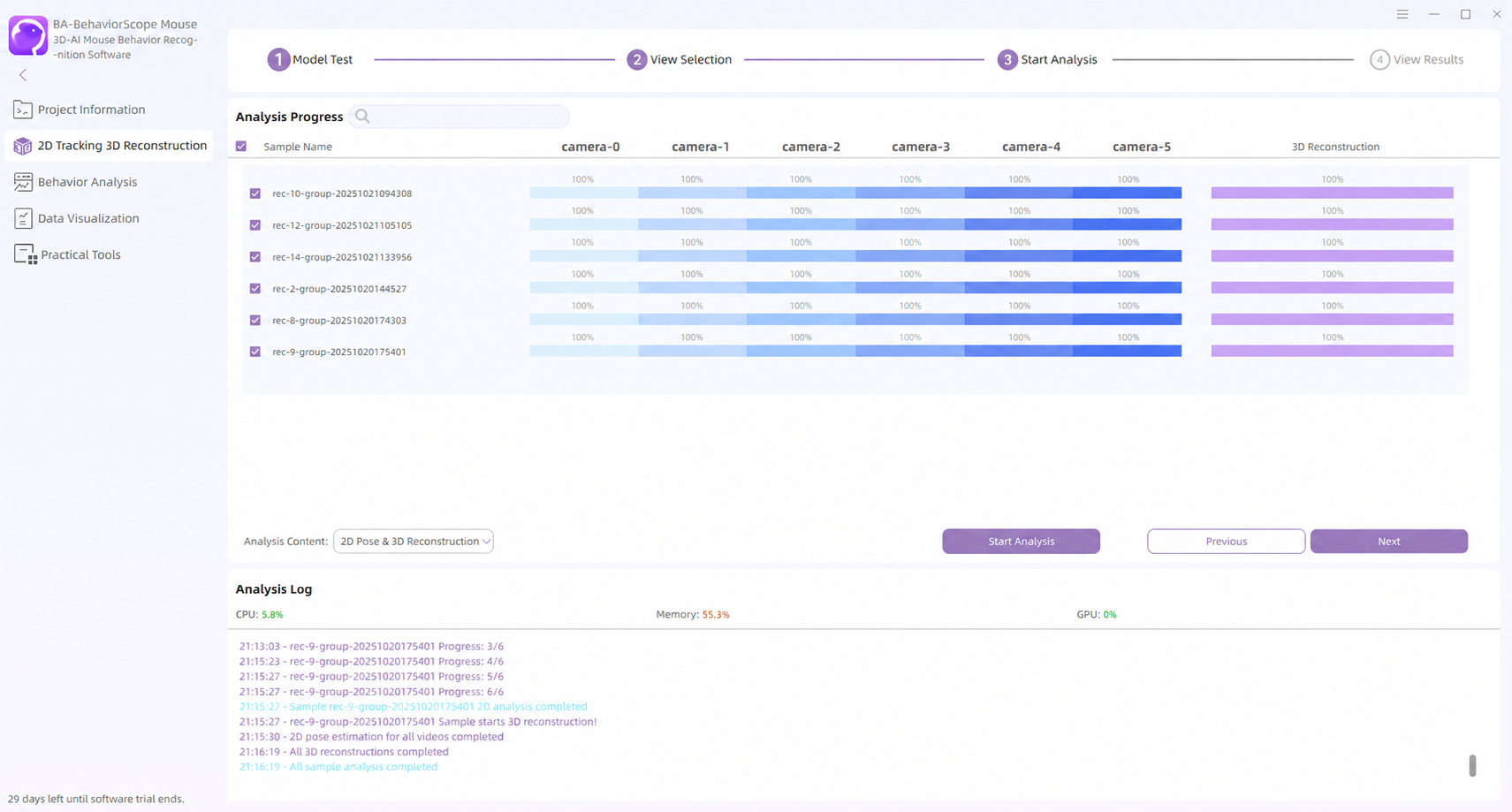
Batch body-keypoint tracking per camera view — high-precision 2D trajectories as input for 3D reconstruction.
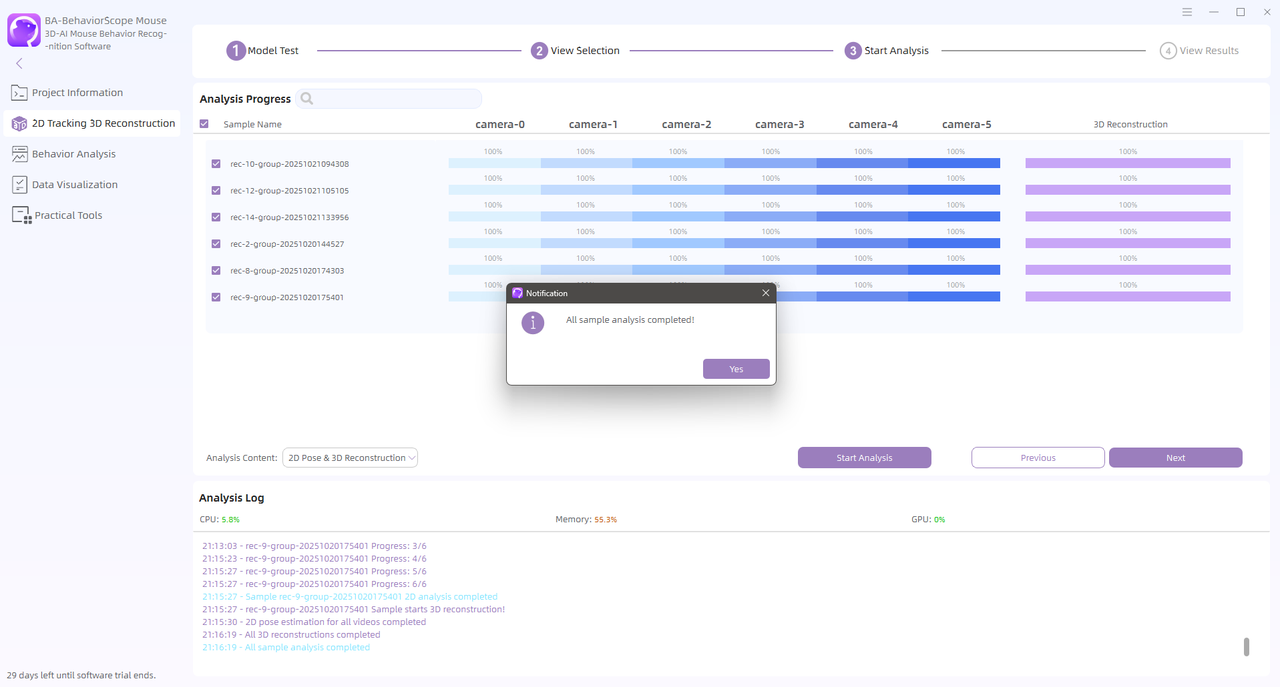
Multi-view fusion reconstructs 3D skeleton sequences for frame-by-frame pose data and downstream behavior analysis.
Run built-in or custom behavior recognition models to extract and quantify behavior modules with labeled segments.
Review recognized behavior modules — explore spectra, timelines, statistical charts, and export publication-ready outputs.
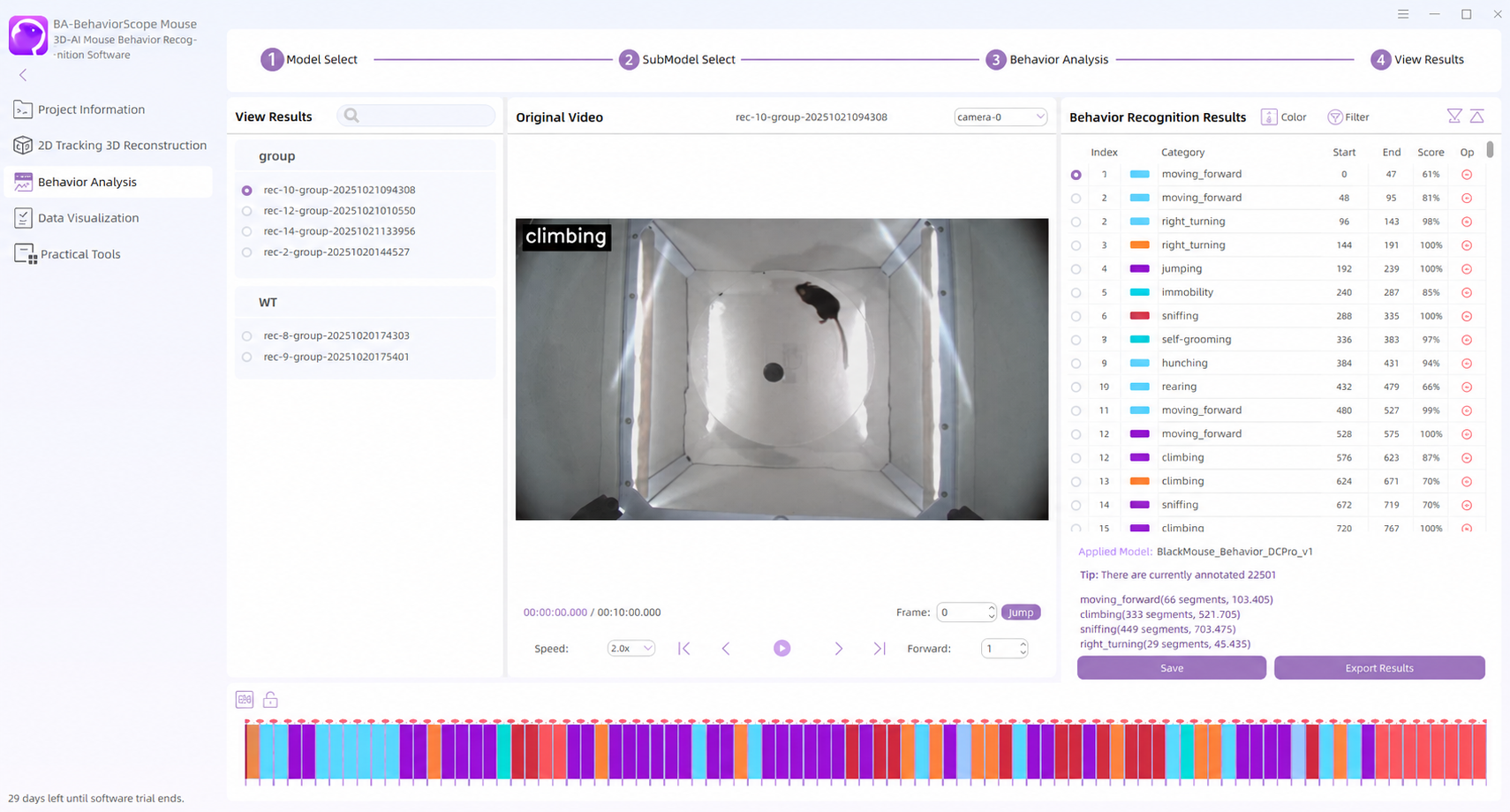
When behavior recognition results are unsatisfactory
Annotate, train a custom model, then re-run recognition.
Annotate behavior segments in BehaviorScope and train a custom recognition model for your paradigm and phenotypes.
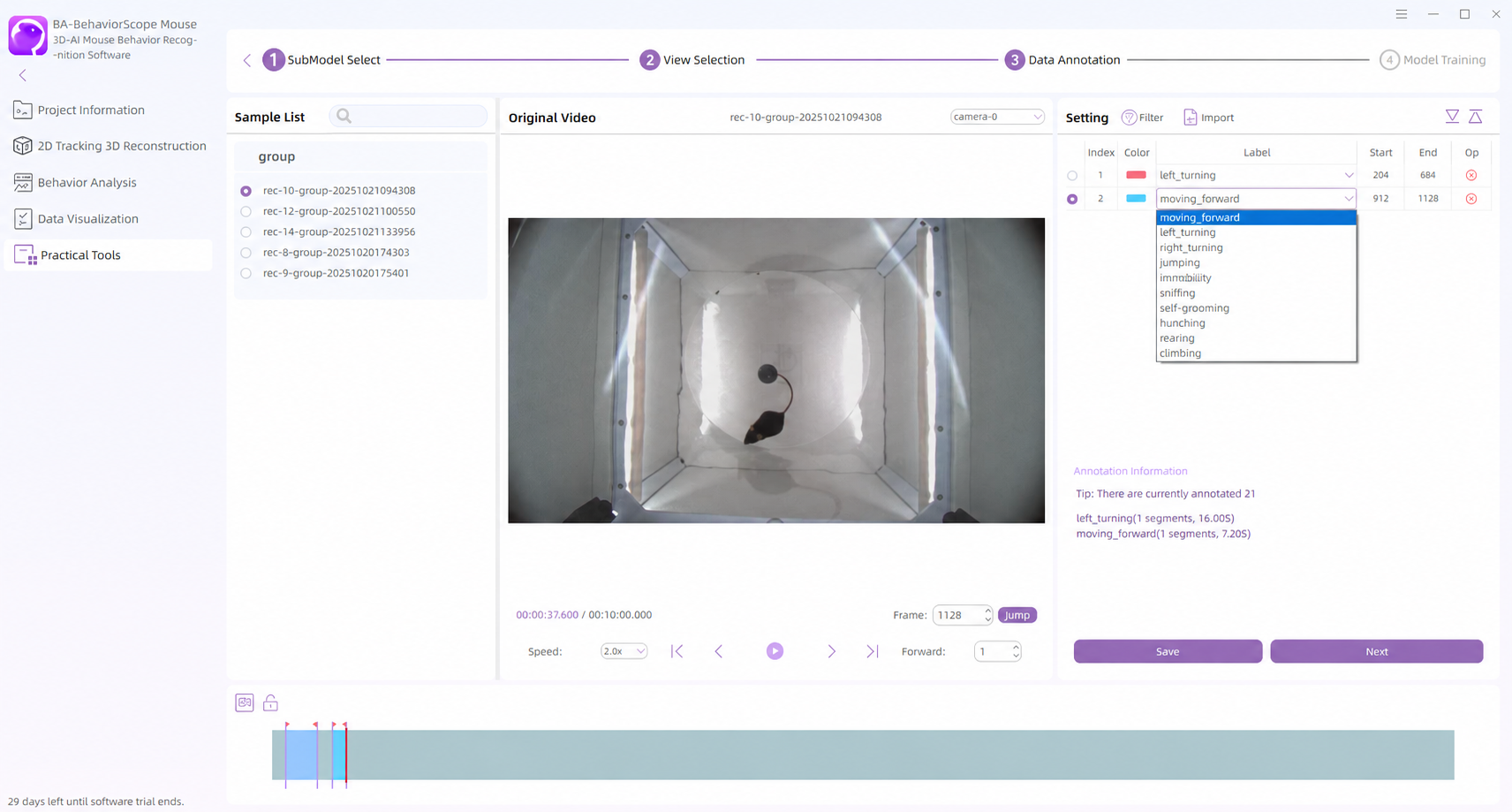
When tracking test results are unsatisfactory
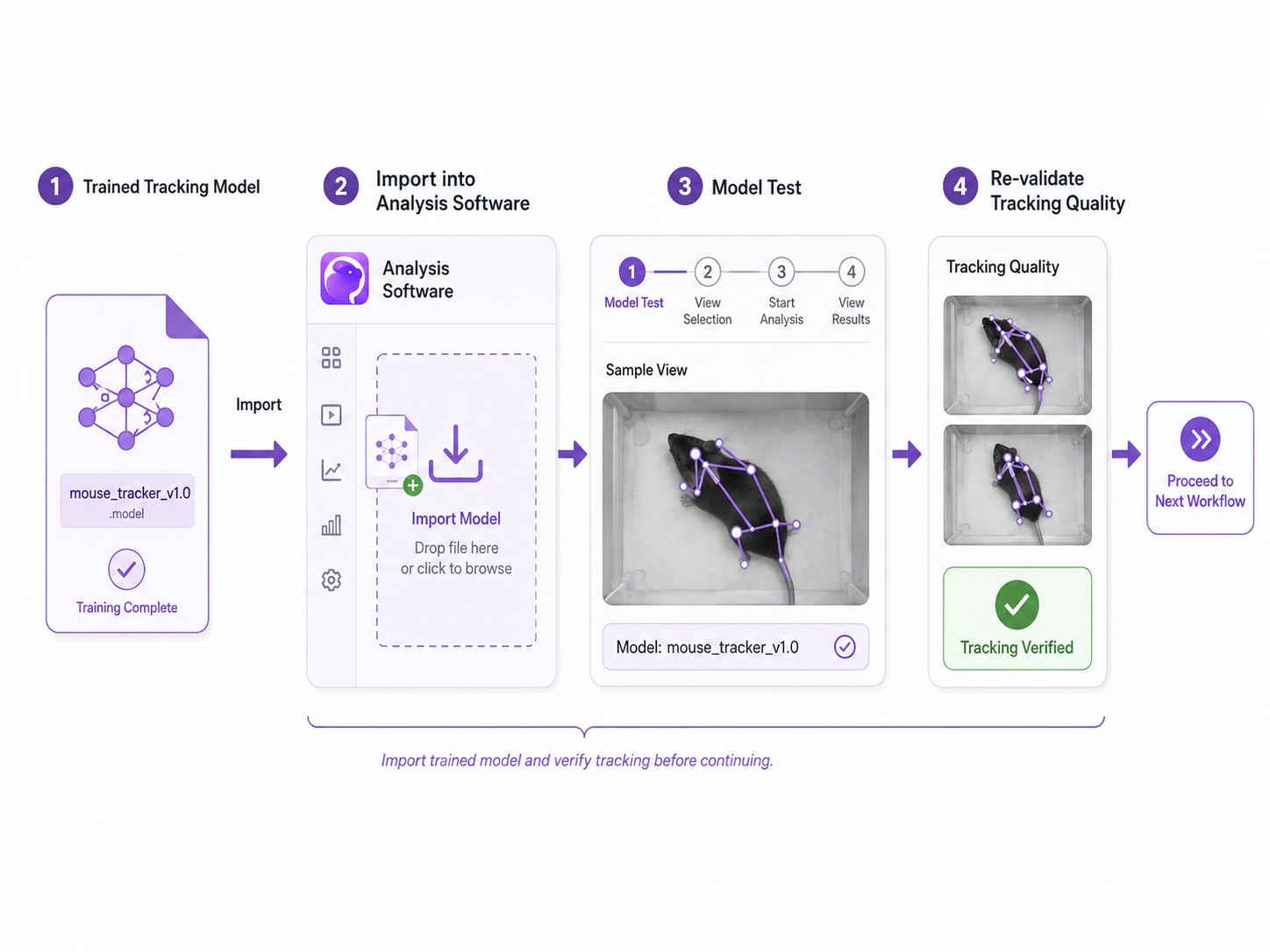
If preset or custom tracking models show poor accuracy or stability on samples, annotate → train → import, then return to Tracking Model Test to re-validate.
Use our free PoseLabeler for efficient frame-level body-keypoint annotation and quality review.
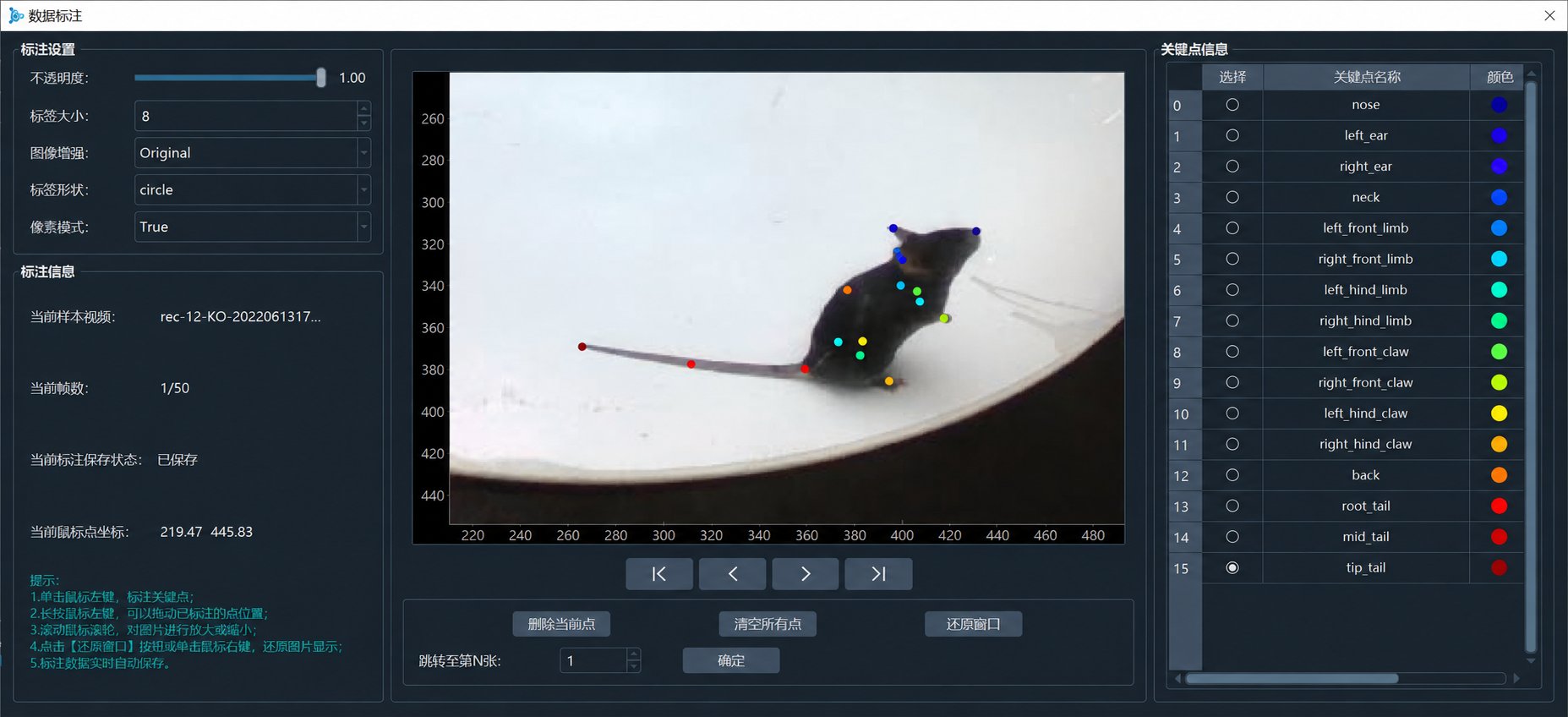
Train a custom body-keypoint tracking model from annotations — tailored to species, views, and setup.
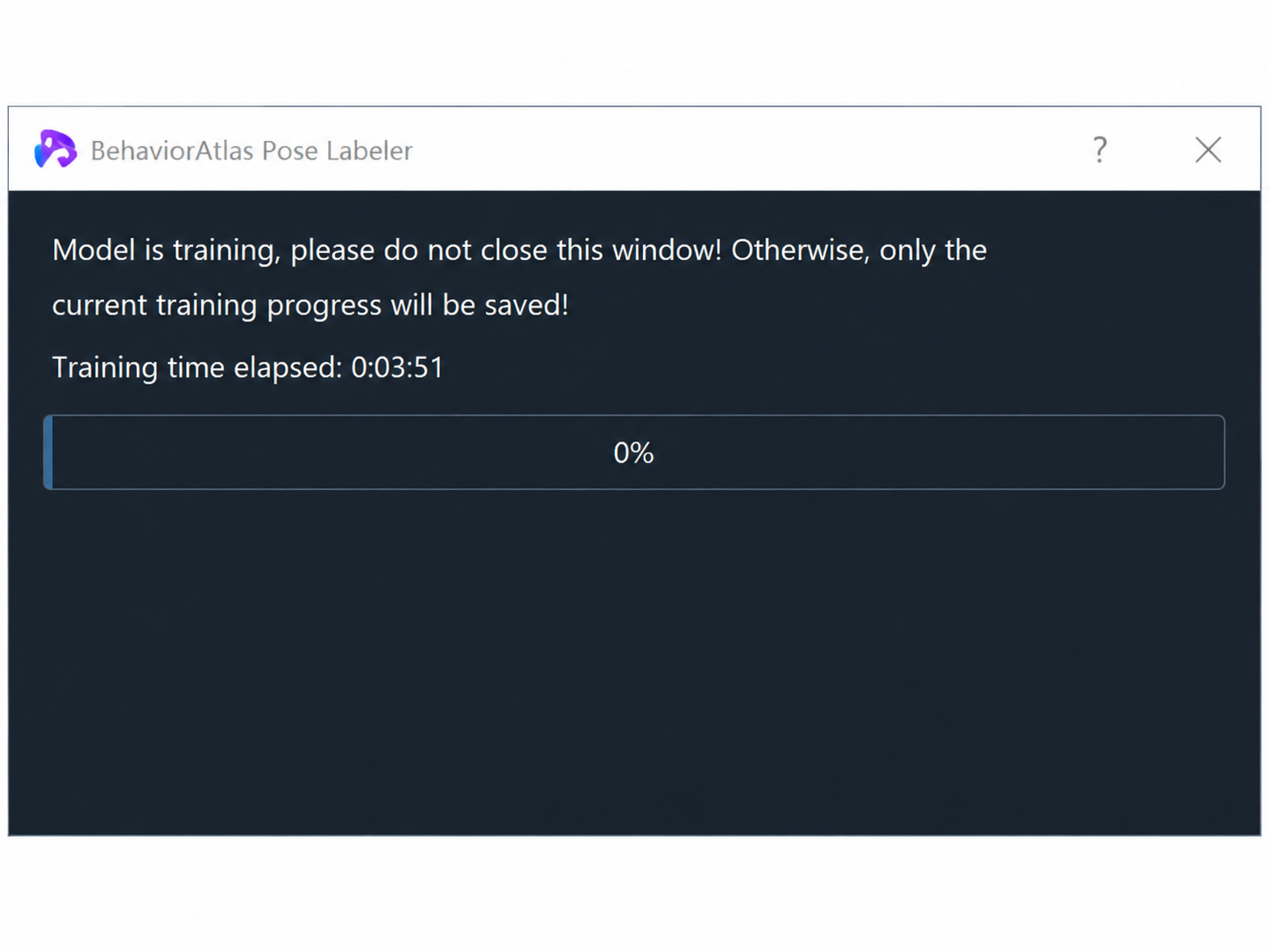
Import the trained tracking model into BehaviorScope, then return to the tracking model test step to re-validate before continuing.
Single mouse — built-in default behavior models, frame-by-frame QC, data export, and visualization for standardized multi-behavior experiments.
01
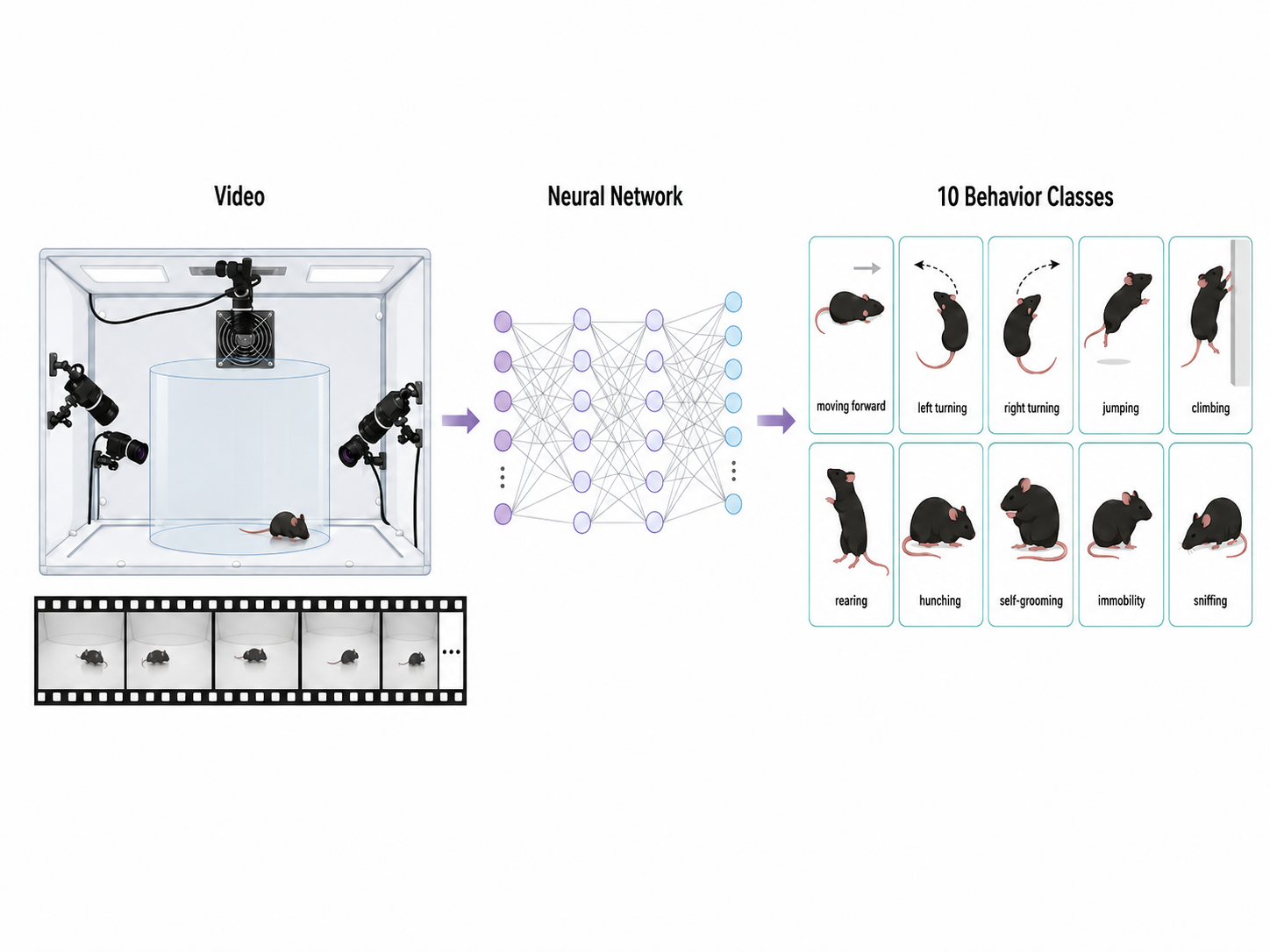
The built-in default model covers common mouse behaviors including moving forward, left turning, right turning, jumping, climbing, rearing, hunching, self-grooming, immobility, and sniffing — use it directly when your study focuses on these modules.
02
Review data frame by frame — kinematic parameters, 3D reconstruction, body-point tracking, and behavior recognition — to assess quality and flag anomalous segments.
03
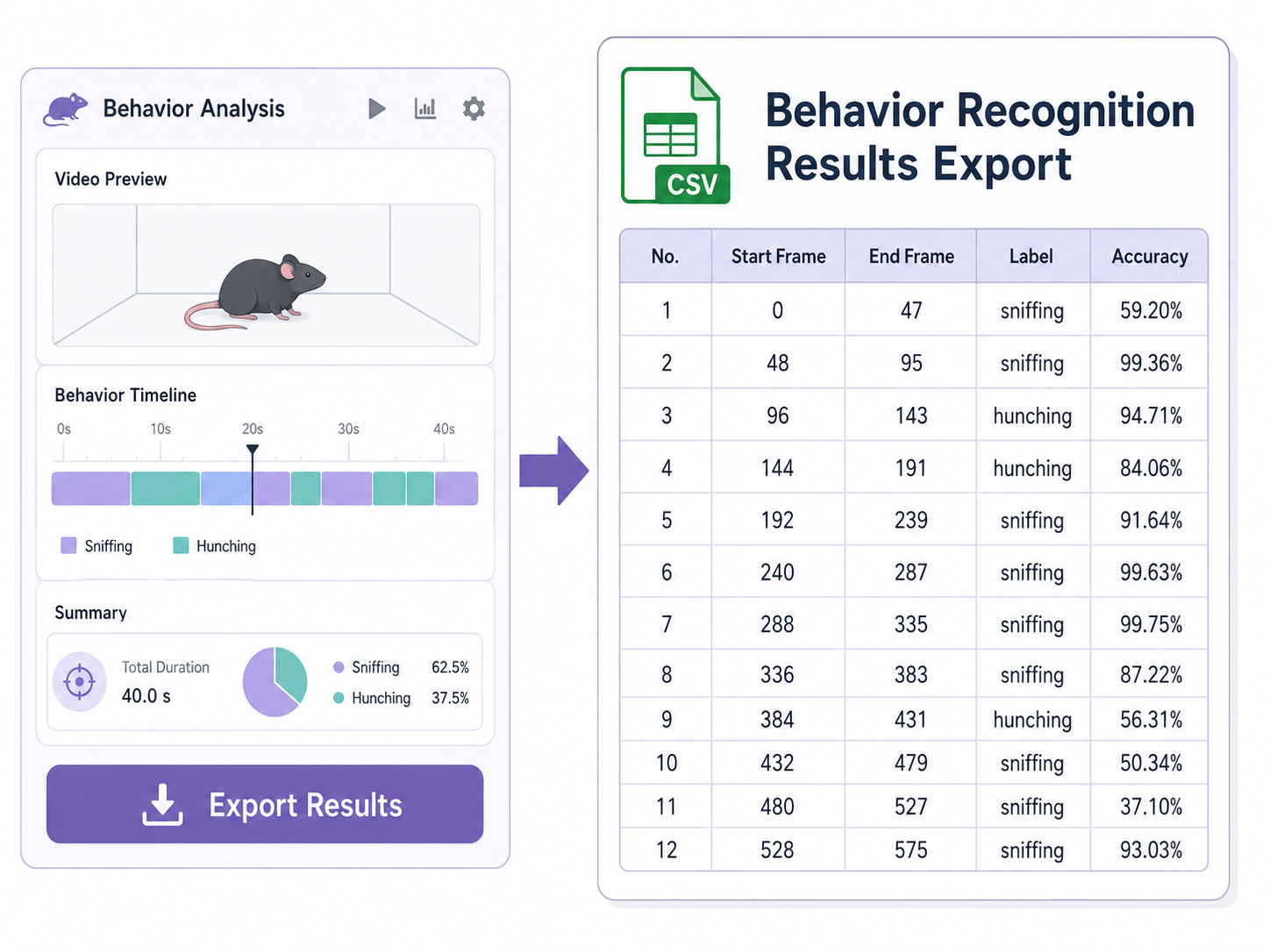
Export behavior recognition results and related parameters for custom statistics, group comparisons, and downstream analysis inside or outside the software.
04
Built-in visualization for behavior spectra, timelines, transition matrices, and more — analyze and export publication-ready figures and reports in one click.
Book an online or on-site demo — experience the full workflow with tailored protocol advice.
Book a Demo