Flexible Stimulus Parameters
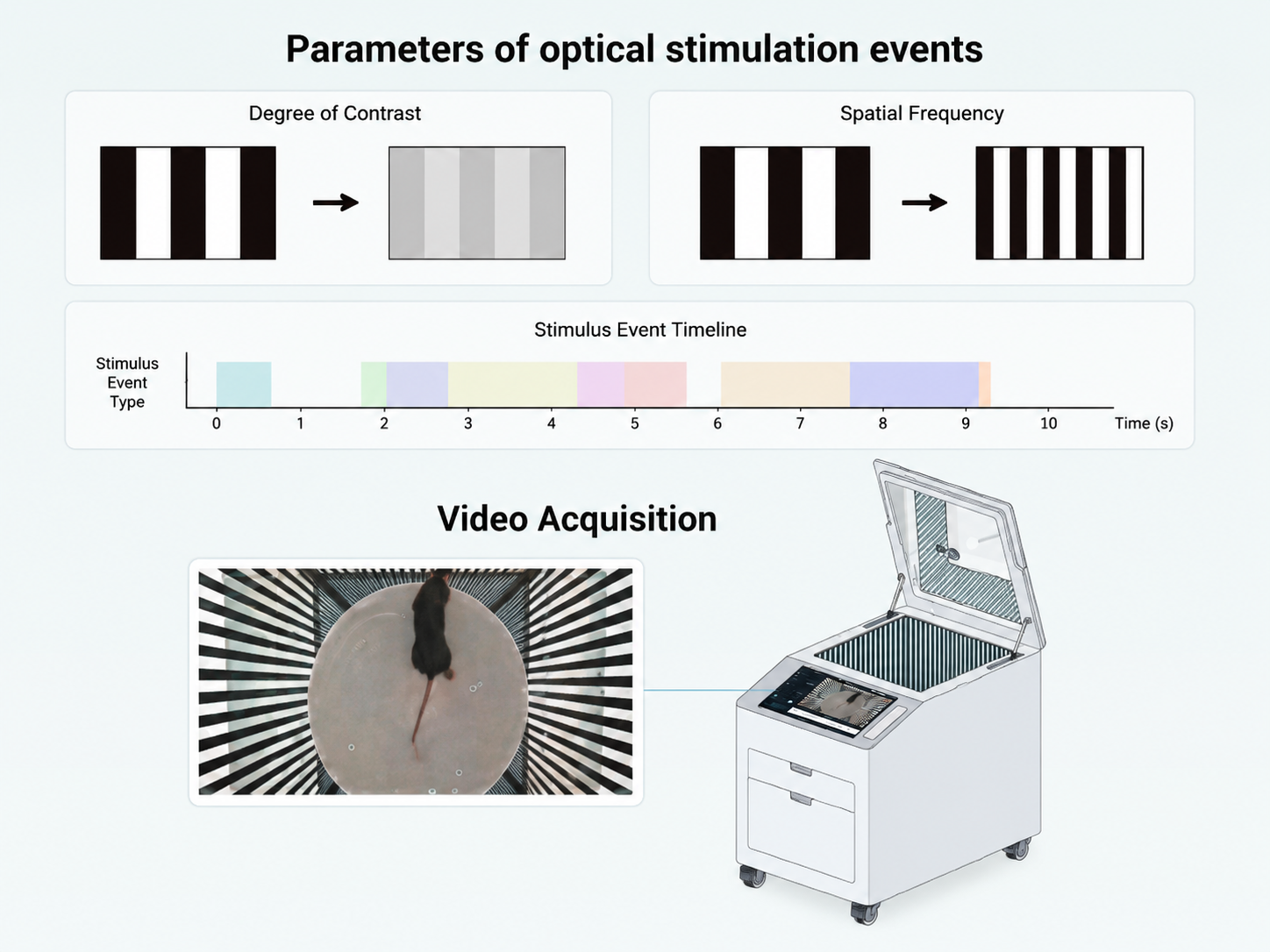
Customize spatial frequency, contrast sensitivity (0–1), grating texture (sine/square/sawtooth), and stimulus direction for dynamic optomotor scenes.
BehaviorAtlas Optomotor · Software Suite
Precise OMR head movement capture with flexible visual stimulation — quantifying spatial frequency and contrast sensitivity thresholds for vision and neuroscience research.
BehaviorAtlas Optomotor Capture Mouse — stimulus control, OMR/OKR behavior recording, and multimodal synchronization.
Customize spatial frequency, contrast sensitivity (0–1), grating texture (sine/square/sawtooth), and stimulus direction for dynamic optomotor scenes.
Top camera records head and body movement during optomotor stimulation — high-quality raw video for OMR analysis.
AI tracks pupil trajectories at millisecond resolution for optokinetic response (OKR) during grating motion — significantly improving detection precision.
Integrates with BA-EyeTracking for synchronized eye-tracking and head movement data — multi-dimensional support for visual function assessment.
Event sync module records timestamps and sync I/O signals — aligning optomotor stimuli, video, and external peripherals.
Stepwise spatial frequency adjustment to quantify visual acuity (VA) threshold — measuring fine pattern resolution capacity.
Adjust contrast at fixed spatial frequency to measure contrast sensitivity (CS) threshold — resolution in low-contrast conditions.
Preview grating motion after parameter setup — verify frequency, contrast, and texture before recording.
Unrestrained mice on elevated platform — non-invasive recording that reflects natural visual function without surgery or fixation.
For ophthalmic disease models, drug efficacy assessment, visual development mechanisms, and neurodegenerative vision research.
Optomotor Capture and Optomotor Analyzer — acquisition and data analysis for optomotor experiments.
OMR
Head tracking
TTL
Event sync
Stimulus parameter setup, preview, video recording, and TTL marking — flexible spatial frequency, contrast, grating texture, and direction with synchronized OMR head movement video.
BehaviorAtlas Optomotor Capture Mouse
Visual stimulus control & behavior acquisition
In Development
Analysis module under active development
VA/CS
Threshold
Coming soon
Analyzer
Automated optomotor experiment analysis — OMR head movement analysis, body keypoint tracking, spatial frequency/contrast sensitivity thresholds, visualization, and report export. (In development)
BehaviorAtlas Optomotor Analyzer Mouse
Automated optomotor data analysis
Dark adaptation and placement, parameter config, acquisition and stimulation — AI tracks OMR head movement to output visual thresholds.
Experiment Preparation
After dark adaptation, place mouse on central platform in optomotor apparatus for free movement before experiment.
Create a grating stimulus event in capture software — configure spatial frequency, contrast, opacity, grating texture, direction, and moving speed, then lock the gradient protocol after preview.
Experiment Execution
Top behavior camera records head and body movement synchronized with grating stimulus timeline.
Visual stimulation begins in preset sequence on six-sided surround displays — gratings presented in configured temporal order, direction, and duration.
AI algorithms analyze head pose to determine whether head movement tracks the rotating grating.
Data Analysis
Aggregate head movement tracking trajectories — AI auto-determines tracking status, outputs spatial frequency and contrast sensitivity threshold reports.
Full workflow diagrams and step details on the Optomotor Research page →
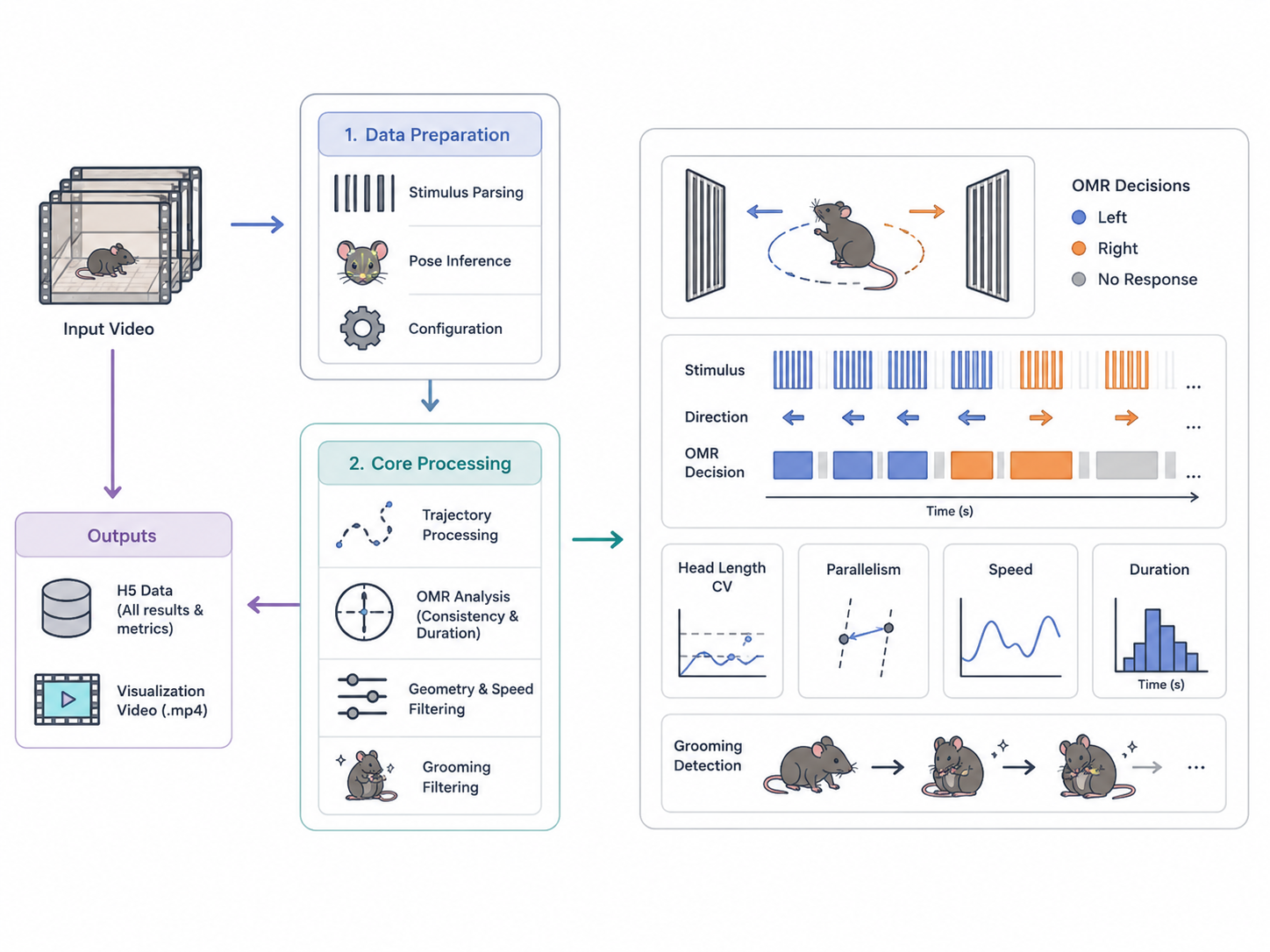
From standardized trajectories and OMR detection to visualization export — traceable optomotor analysis outputs.
01
Three output layers — standardized keypoint and smoothed trajectories with per-trial valid frames; OMR segment detection using head-direction consistency, sustained frames, head-length stability, and grooming filtering; plus annotated review videos and H5 files for QC, statistics, and verification.
02
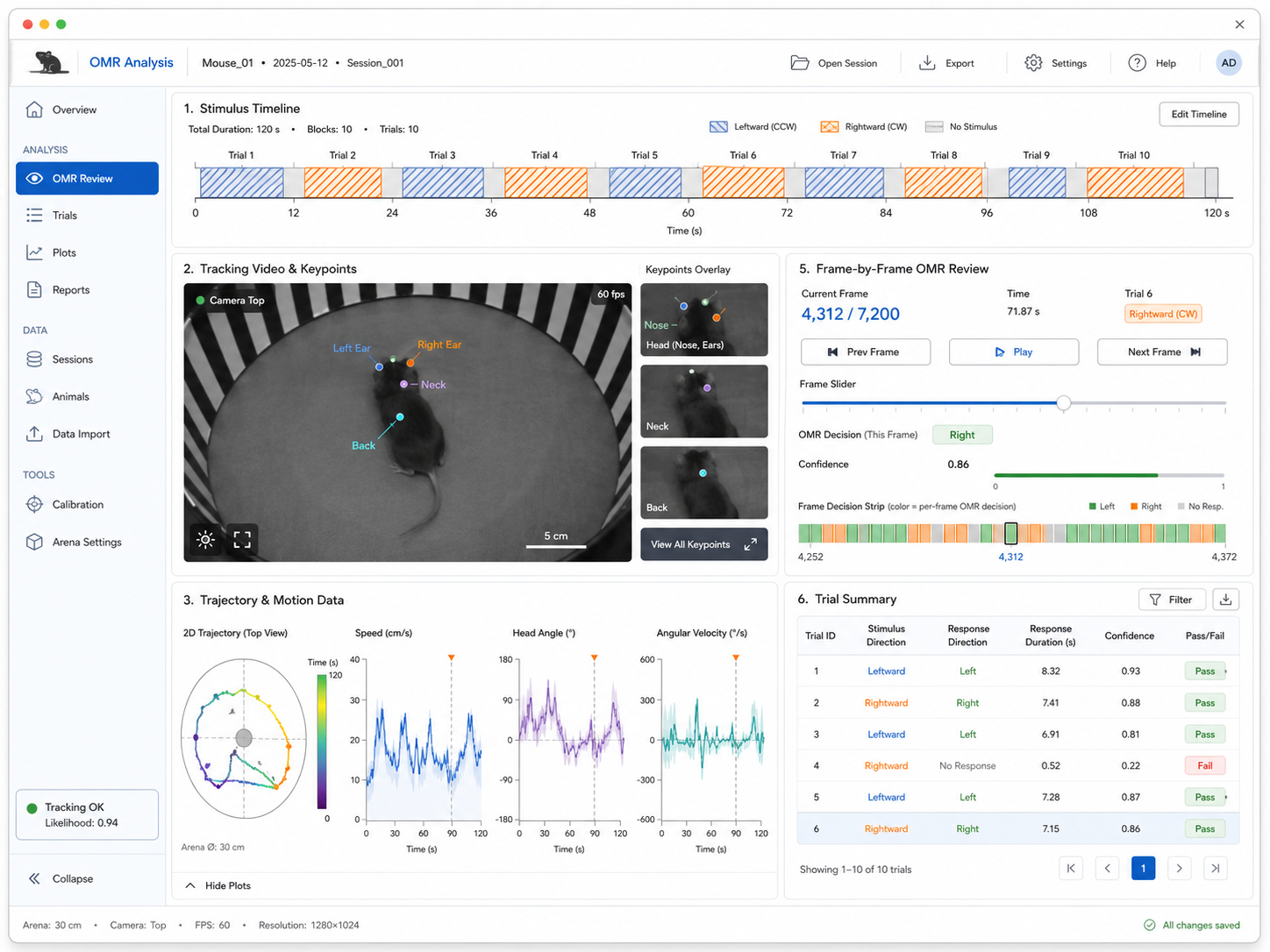
Per-sample review syncs stimulus timelines with whole-body and keypoint tracking videos (nose, ears, neck, back), plus trajectory and speed curves — frame-by-frame OMR verification for fast data QC and result confirmation.
03
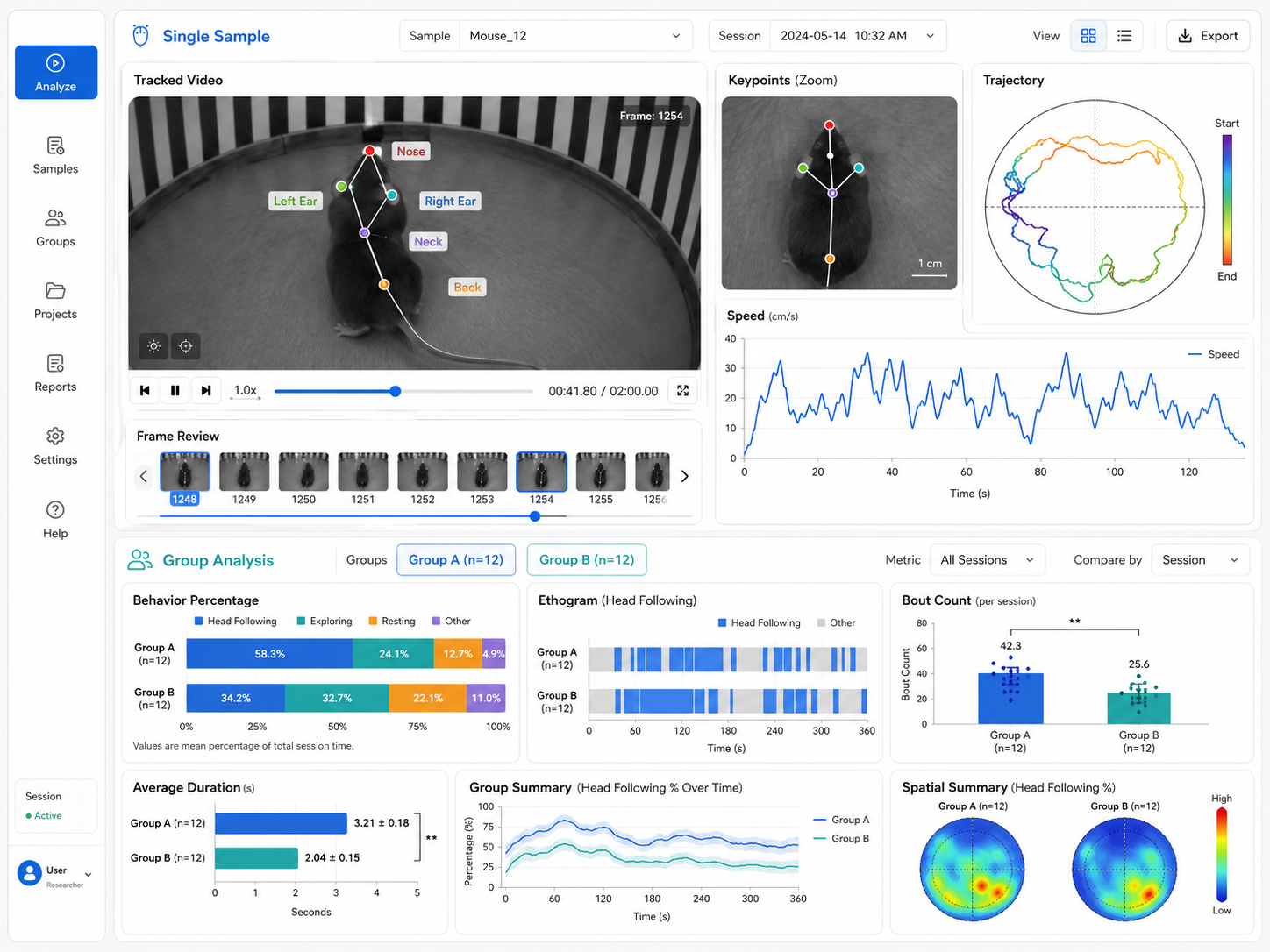
Single-sample OMR visualization plus multi-sample group statistics — inter-group time proportions, head-following behavior spectra, VA/CS threshold charts, and more for group comparison and publication-ready export.
Book an online or on-site demo — experience the full workflow with tailored protocol advice.
Book a Demo