Efficiency
The whole pipeline is four steps — spend time labeling, not on project scaffolding and sampling boilerplate.
Basic Tools
Desktop pose labeling and training software for ethology — four clear steps from annotation to model training, with custom keypoints and in-house pose estimation.
CAPABILITIES
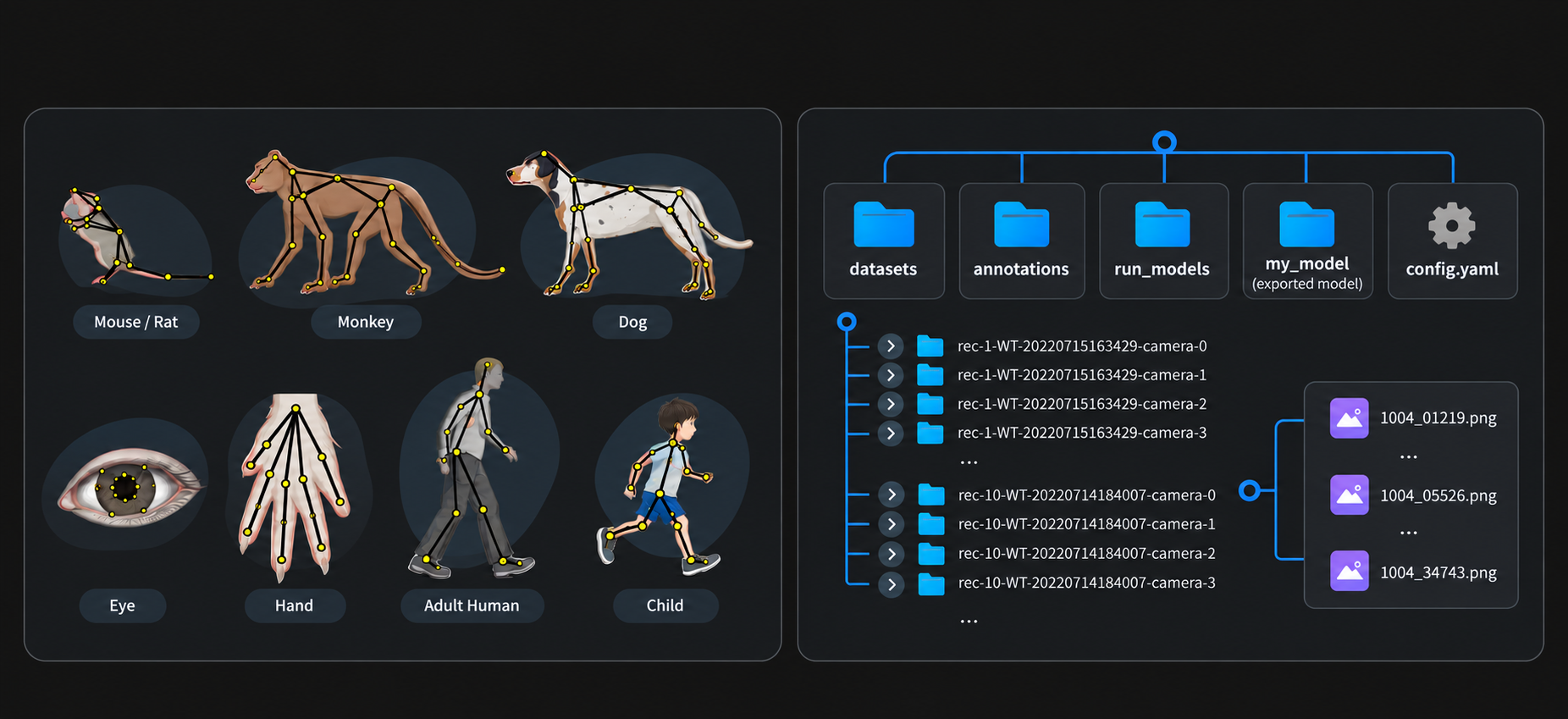
High-quality pose datasets are the textbook for AI. Existing tools are often too heavy — Pose Labeler folds project setup, frame sampling, labeling, and training into one clear chain.
The whole pipeline is four steps — spend time labeling, not on project scaffolding and sampling boilerplate.
Custom keypoint names, colors, and counts — or load mouse, monkey, dog, eye-tracking, and gait templates.
In-house pose estimation plus precise labels give tracking models a reliable data foundation.
WORKFLOW
Pose labeling → model training and export → load in Analyzer and other BehaviorAtlas software.
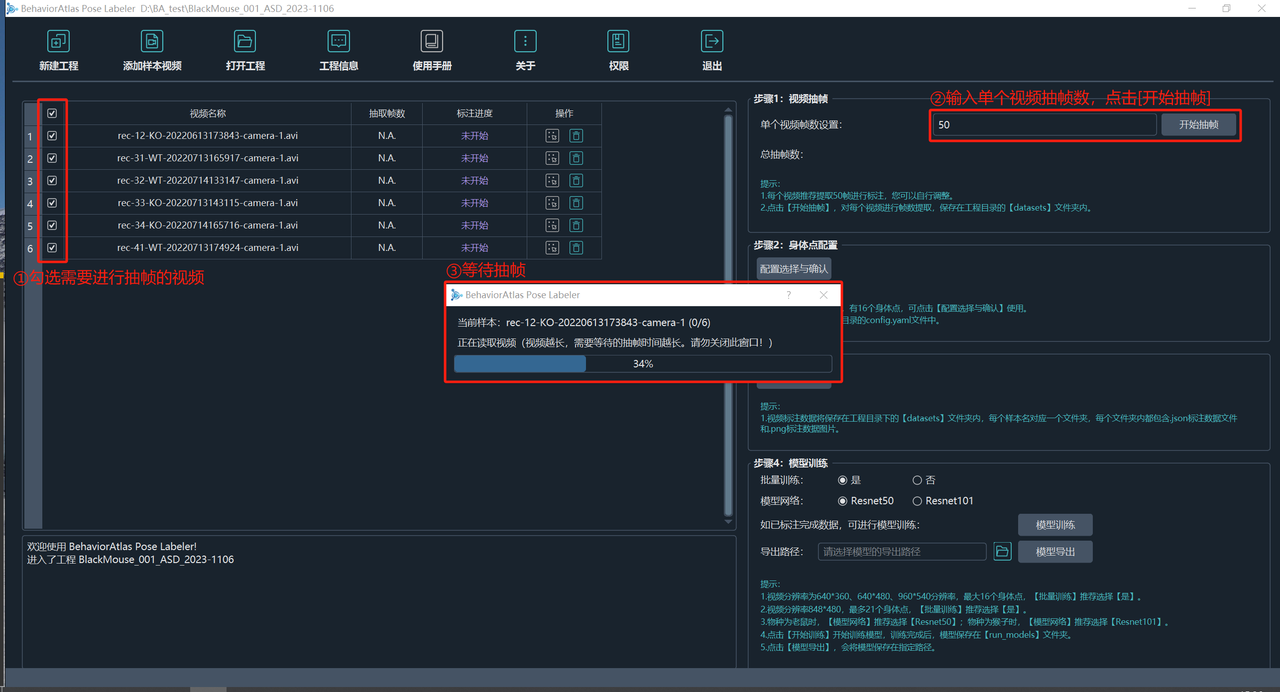
Create or open a project, import at least five representative videos (all views), and sample ~800–1000 frames by video length.
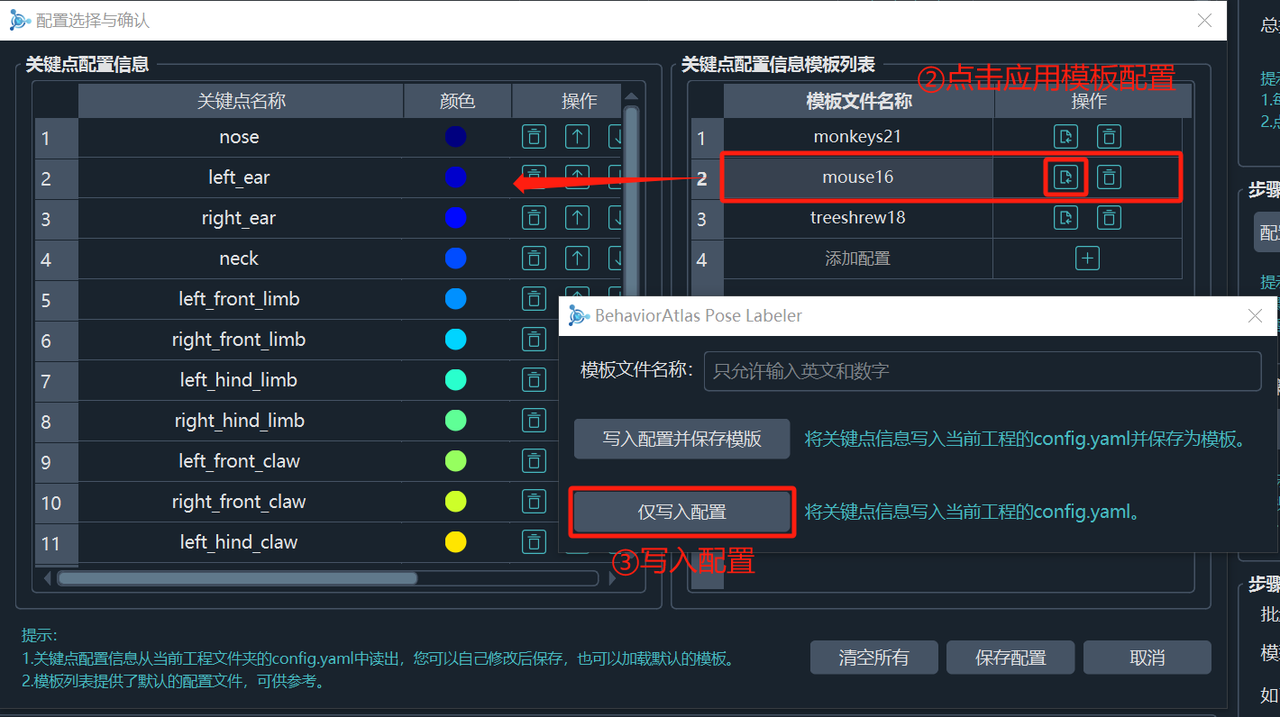
Configure keypoints manually or apply a template, then write into the project — optionally save as a reusable template.
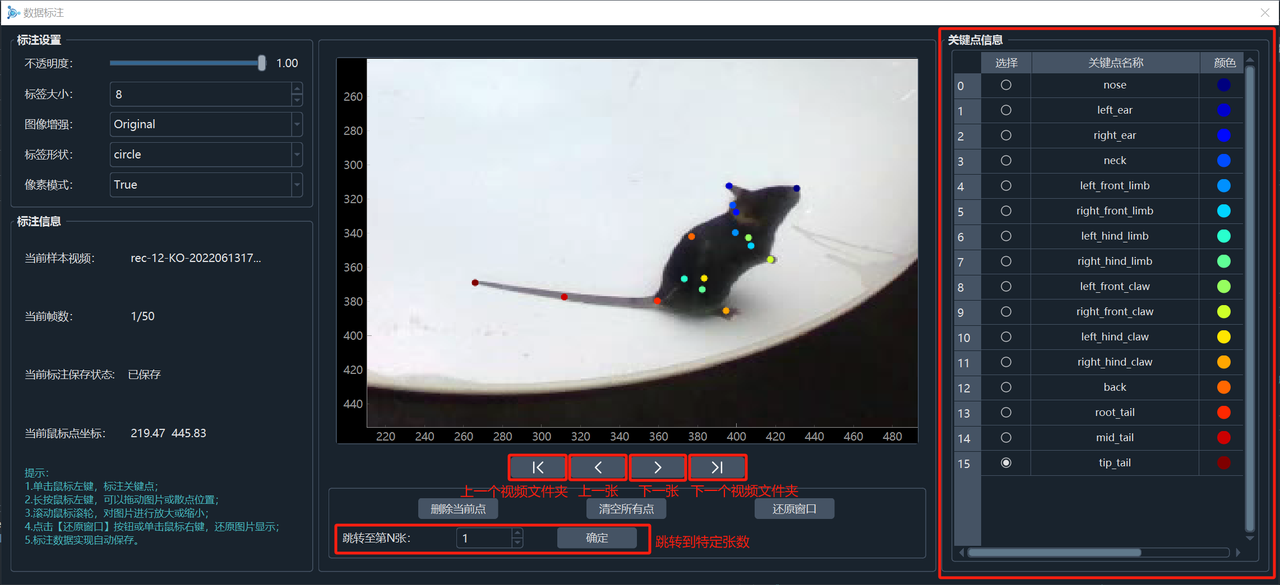
Zoom, click to place, drag to adjust; Ctrl+Z / Ctrl+X to undo or clear. Labels save automatically with progress on the sample table.
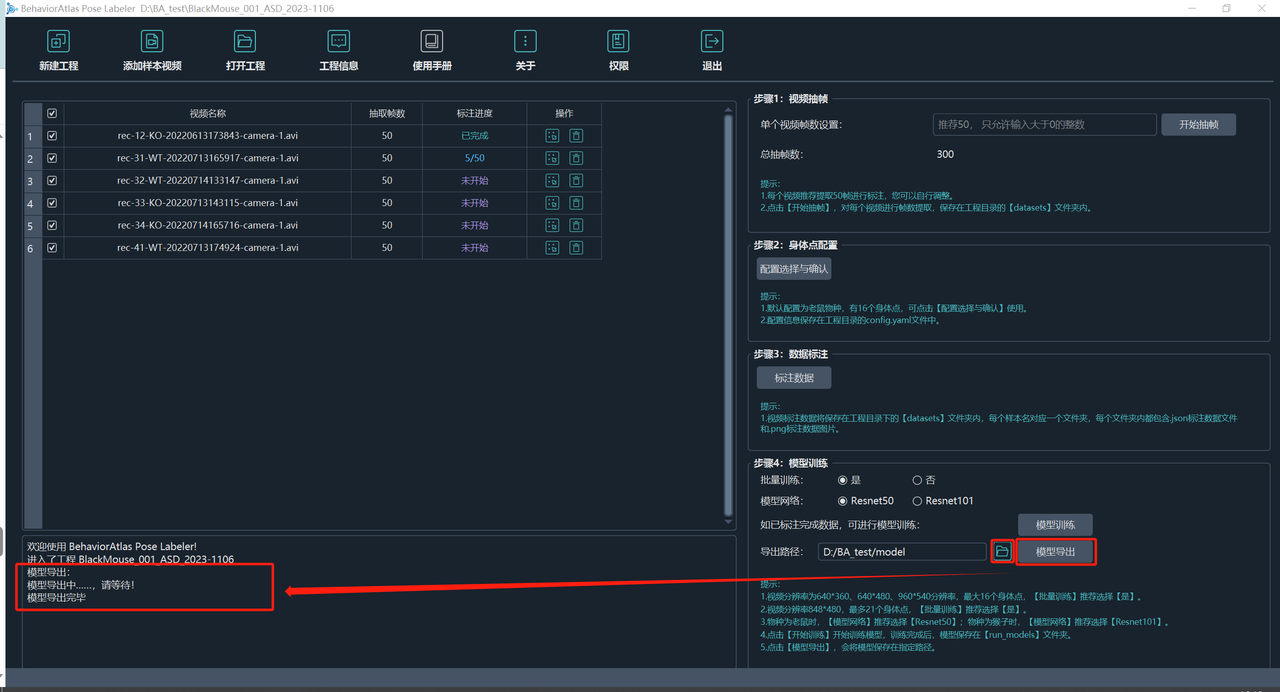
Optional batch training and ResNet50/101; export the model and load it in Analyzer via config.yaml.
KEYPOINT TEMPLATES
Keypoint count follows the analysis need — solid objects in the scene can be labeled too.
Default 16 points: nose, ears, neck, limb/claw, back, and tail root/mid/tip.
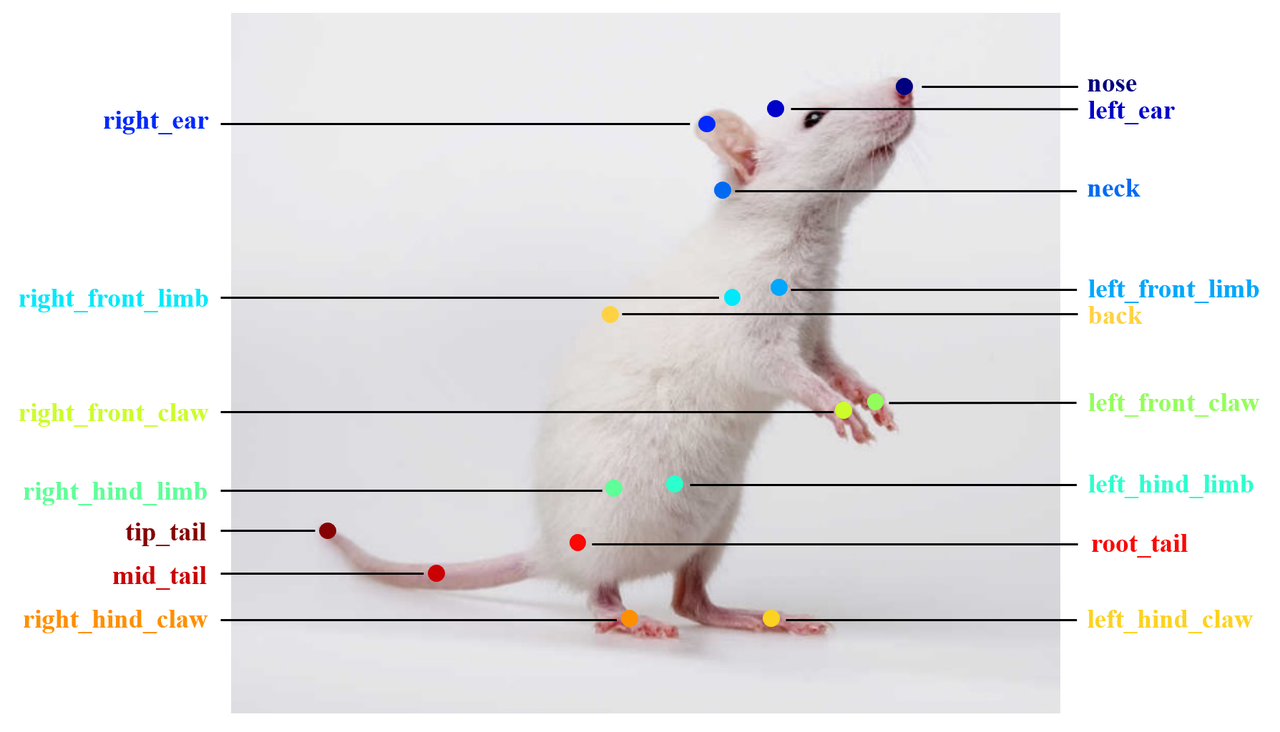
nose · left_ear · right_ear · neck · left_front_limb · right_front_limb · left_hind_limb · right_hind_limb · left_front_claw · right_front_claw · left_hind_claw · right_hind_claw · back · root_tail · mid_tail · tip_tail
Includes eyes, shoulders, elbows, wrists, knees, and ankles for NHP pose.
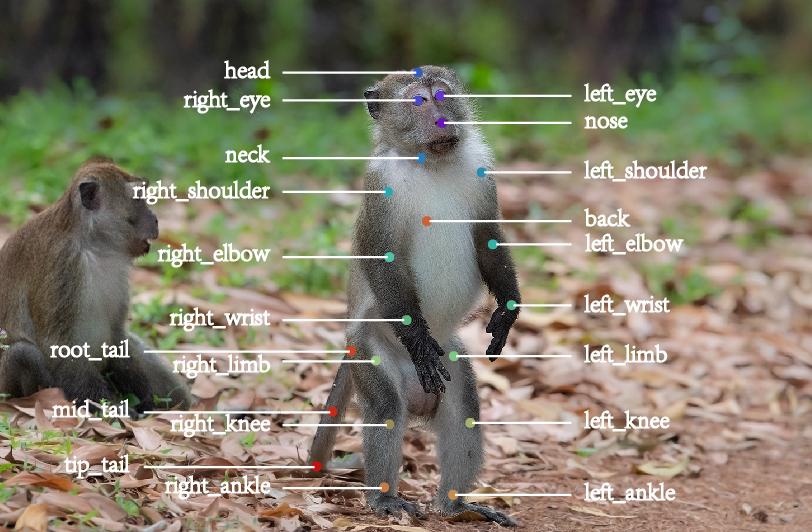
nose · left_eye · right_eye · head · neck · left_shoulder · right_shoulder · left_elbow · right_elbow · left_wrist · right_wrist · left_limb · right_limb · left_knee · right_knee · left_ankle · right_ankle · back · root_tail · mid_tail · tip_tail
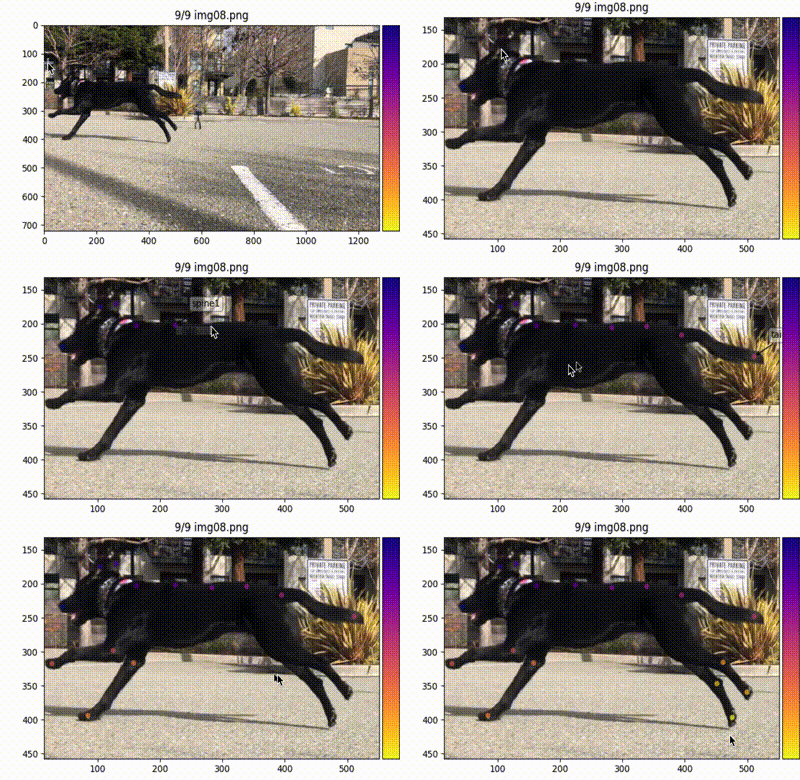
nose · left_ear · right_ear · neck · front_spine · mid_spine · back_spine · root_tail · top_tail · left_front_leg · left_front_paw · right_front_leg · right_front_paw · left_back_leg · left_back_paw · right_back_leg · right_back_paw
Pupil center plus pupil1–8, labeled counterclockwise from the rightmost point.
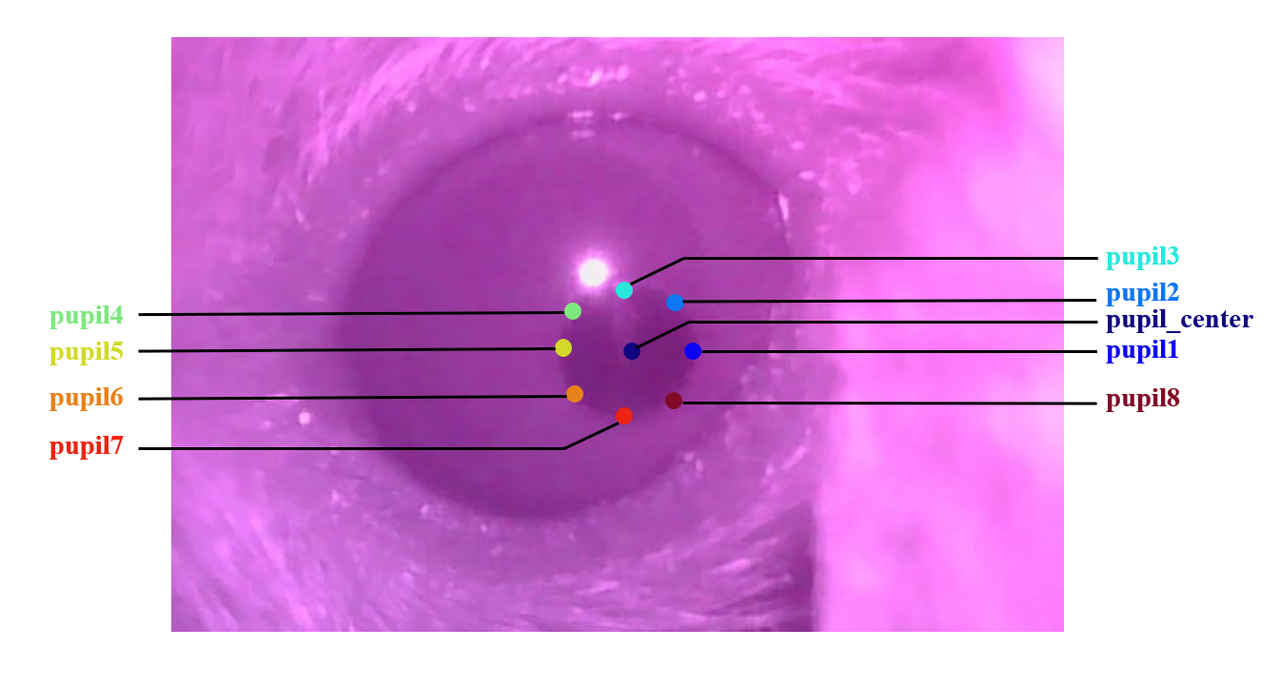
pupil_center · pupil1 · pupil2 · pupil3 · pupil4 · pupil5 · pupil6 · pupil7 · pupil8
pupil1–8 labeled counterclockwise from the rightmost pupil point
The 9-point pupil set plus left/right canthus.
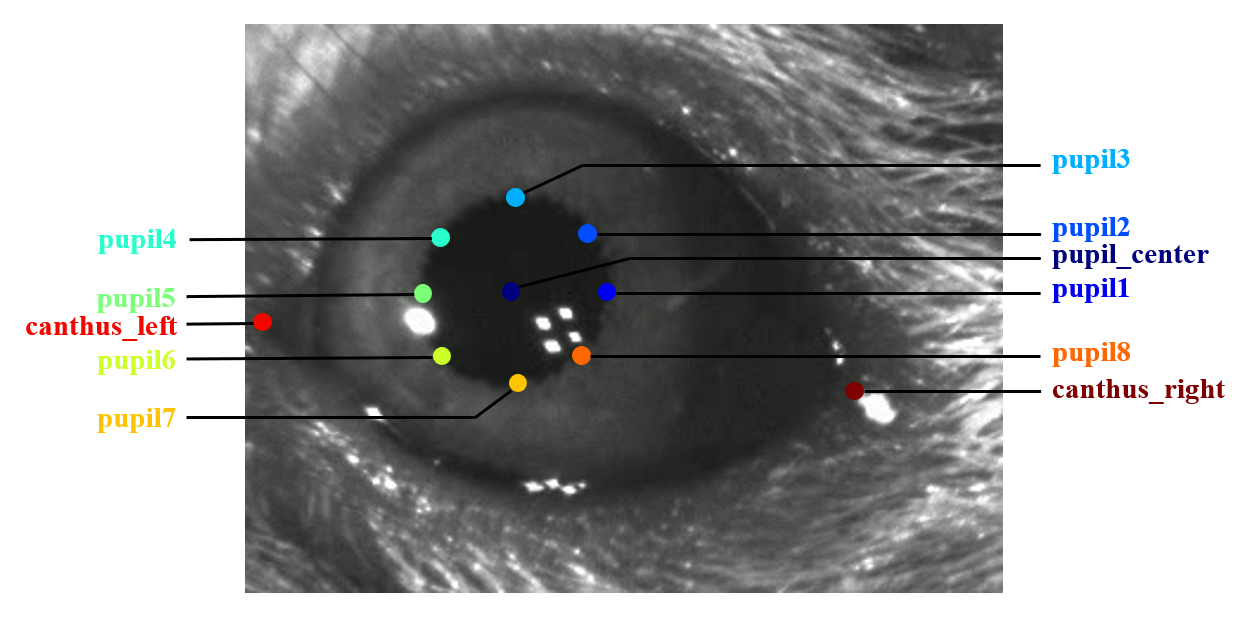
pupil_center · pupil1 · pupil2 · pupil3 · pupil4 · pupil5 · pupil6 · pupil7 · pupil8 · canthus_left · canthus_right
pupil1–8 labeled counterclockwise from the rightmost pupil point
Shoulder/elbow/wrist/toetip and hip/knee/ankle/toetip for motor analysis.
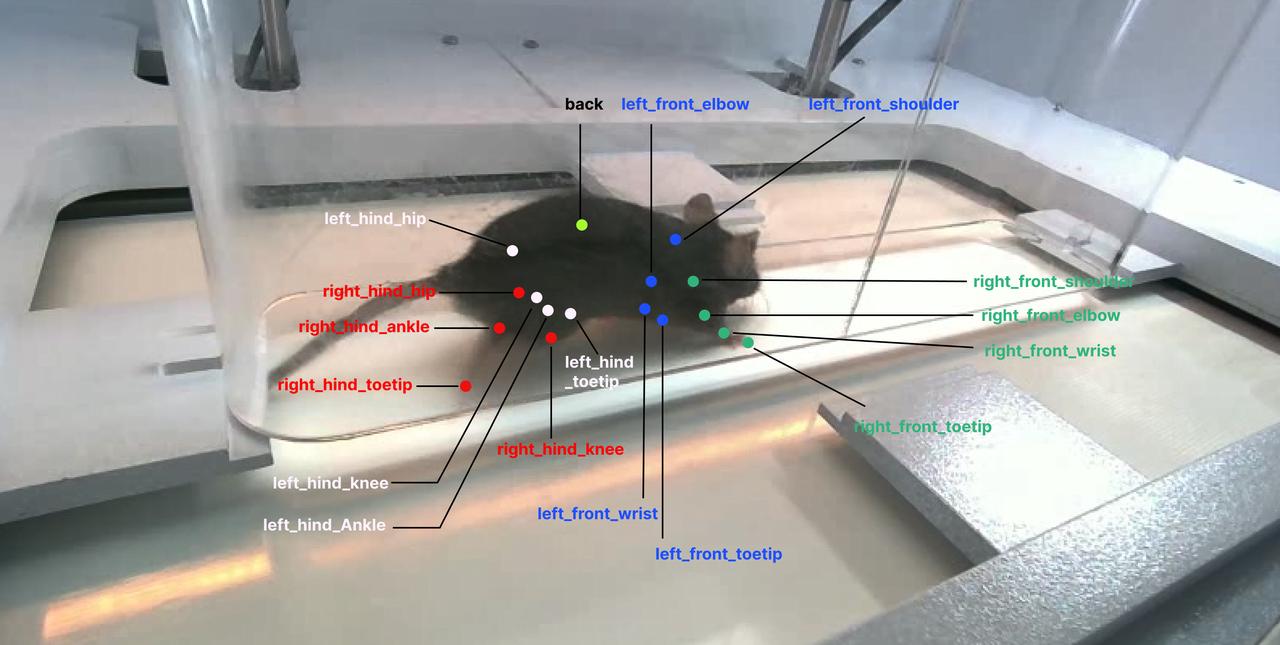
back · left_front_shoulder · left_front_elbow · left_front_wrist · left_front_toetip · right_front_shoulder · right_front_elbow · right_front_wrist · right_front_toetip · left_hind_hip · left_hind_knee · left_hind_ankle · left_hind_toetip · right_hind_hip · right_hind_knee · right_hind_ankle · right_hind_toetip
SPECIFICATIONS
Labeling runs on a regular office PC; GPU is recommended for training.
FAQ
Label quality directly drives tracking quality.
Yes — any solid-volume object is worth tracking.
Usually too few, inaccurate, or unrepresentative labels. Add samples/frames, relabel, and retrain.
PART-TIME
We hire part-time data labelers on an ongoing basis. Below is a typical task brief — we confirm details and arrange training after you apply.
We send the project link and train you on the tool and keypoint conventions first.
Submit 2–3 labeled samples for review; continue in batch only after approval.
Label carefully and accurately; follow keypoint order, with left/right from the mouse’s own sides.
Apply via the Contact form and mention “part-time labeling” in your message. We will follow up and screen applicants.
Share your species, keypoints, and labeling scenarios — get guidance on software setup, model training, and deployment.